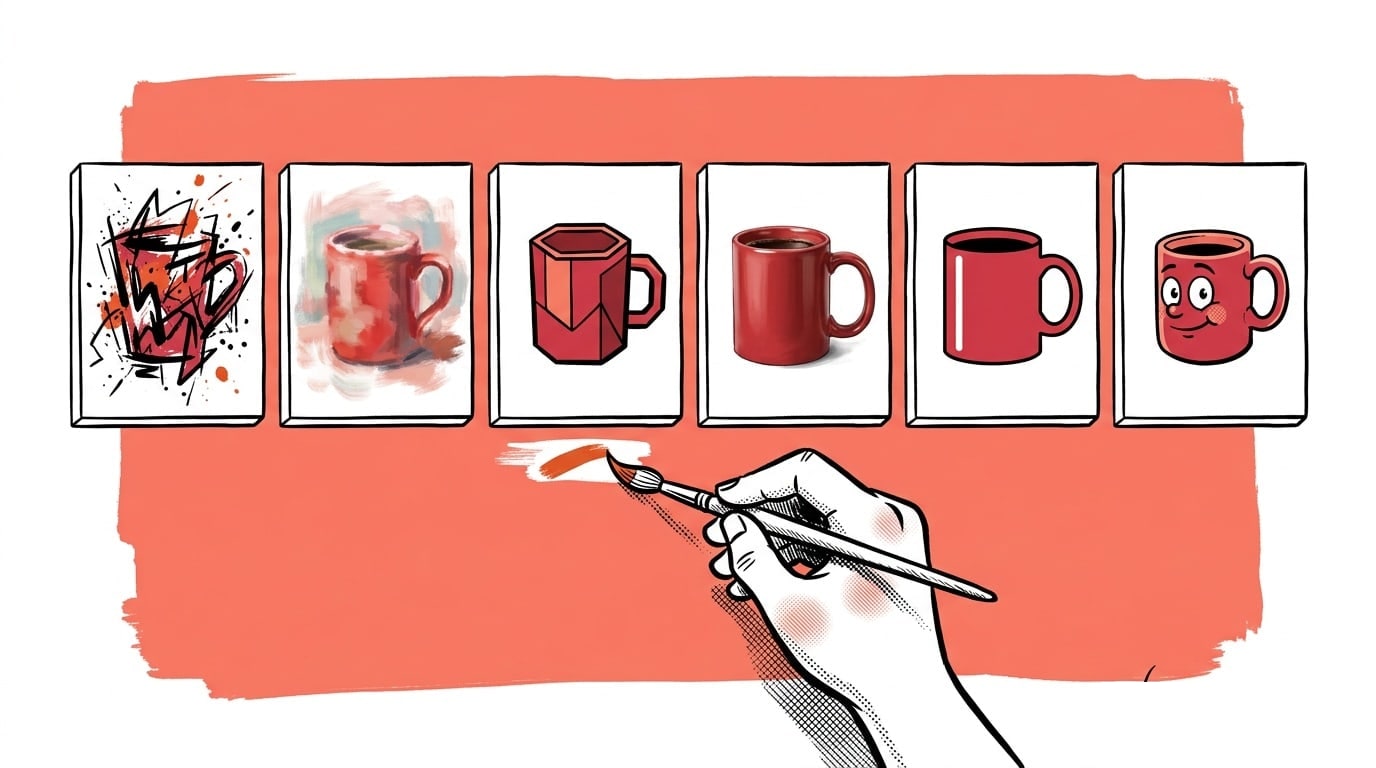
Most AI ad tools fall into one of two camps. Either they are fully automatic, and you get whatever the pipeline decides is right for you, or they are a blank prompt box where you have to describe your own product from memory and hope the model does not invent a different one.
Ad Studio sits in between. It is the manual surface inside AdControlCenter: a prompt bar at the bottom, a feed of finished ads above it, and your business already loaded in as the ingredients. You describe the ad. The studio knows your products, your logo, your angles and your audiences, because onboarding already learned them.
- One prompt bar, your real product photos as references, finished ads with the headline baked onto the image.
- Six engines to choose from, and you can run up to four at once on the same brief for a fair side-by-side.
- 1, 2, 4 or 8 ads per run. Placeholders fill in as each one lands; at most eight render at a time.
- Products that are not in your profile: paste a product-page URL or upload up to three photos.
- Every result carries its full recipe: engine, seed, headline, scene. Continue, vary or reuse any of it.
- Pricing is per ad in credits: 1, 2 or 3 depending on the engine. Failed renders are refunded.
What you actually type
The prompt is creative direction, not the headline. "Which of these will you choose for your bride?" is a direction. Ad Studio hands it to a brief writer that turns it into a scene description and a short on-image headline, then hands that to the image model with your product photo attached as a reference.
If you want the exact words on the image, say so in quotes or use the Advanced panel. A headline typed there is rendered verbatim, no rewrite.
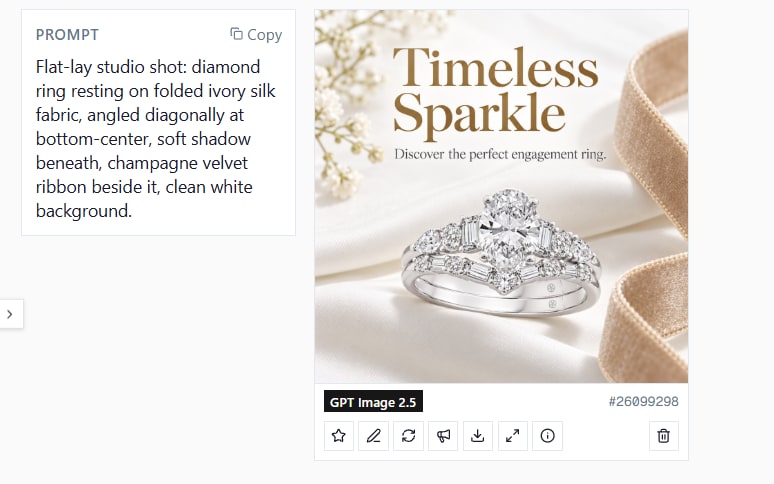
Image models paint what they are told, including labels. Early on, a prompt with the word "verbatim" in it produced an ad with "VERBATIM:" painted across the top. The brief writer sits between you and the model so the model only ever sees the finished headline, never the instructions about it.
Your products are the references
Pick up to three products for one ad. Each product's photo rides along as an edit reference, so the model keeps the real item: shape, colours, label, proportions. Three products in one frame is a real use case for bundles and "which one are you" ads.
Two new paths cover products that onboarding never saw:
- Paste a URL. Point the studio at a product page. It reads the name, description and photos from the page's structured data and adds the product to your list. A direct image link works too.
- Upload photos. Choose up to three photos of one product, give it a name, and it becomes a product. Several angles of the same item help the model render it faithfully. The studio tells the engine these are one product, not three.
Products you add this way stay in your list for next time and can be removed from the same picker.
Six engines, and why you would switch
| Engine | Credits per ad | Best at |
|---|---|---|
| Nano Banana Flash | 1 | Speed. Short headlines only. |
| Nano Banana 2 | 2 | The default. Balanced quality, keeps the product, good typography. |
| Nano Banana Pro | 3 | Best typography. Hebrew, Arabic and other non-Latin scripts. |
| Grok Imagine (edit) | 2 | Photoreal edits of a single product photo. |
| Flux Pro | 2 | Pure text-to-image concepts. Ignores the product photo. |
| GPT Image 2.5 | 3 | Strong typography and layout. Slower. Ignores seeds. |
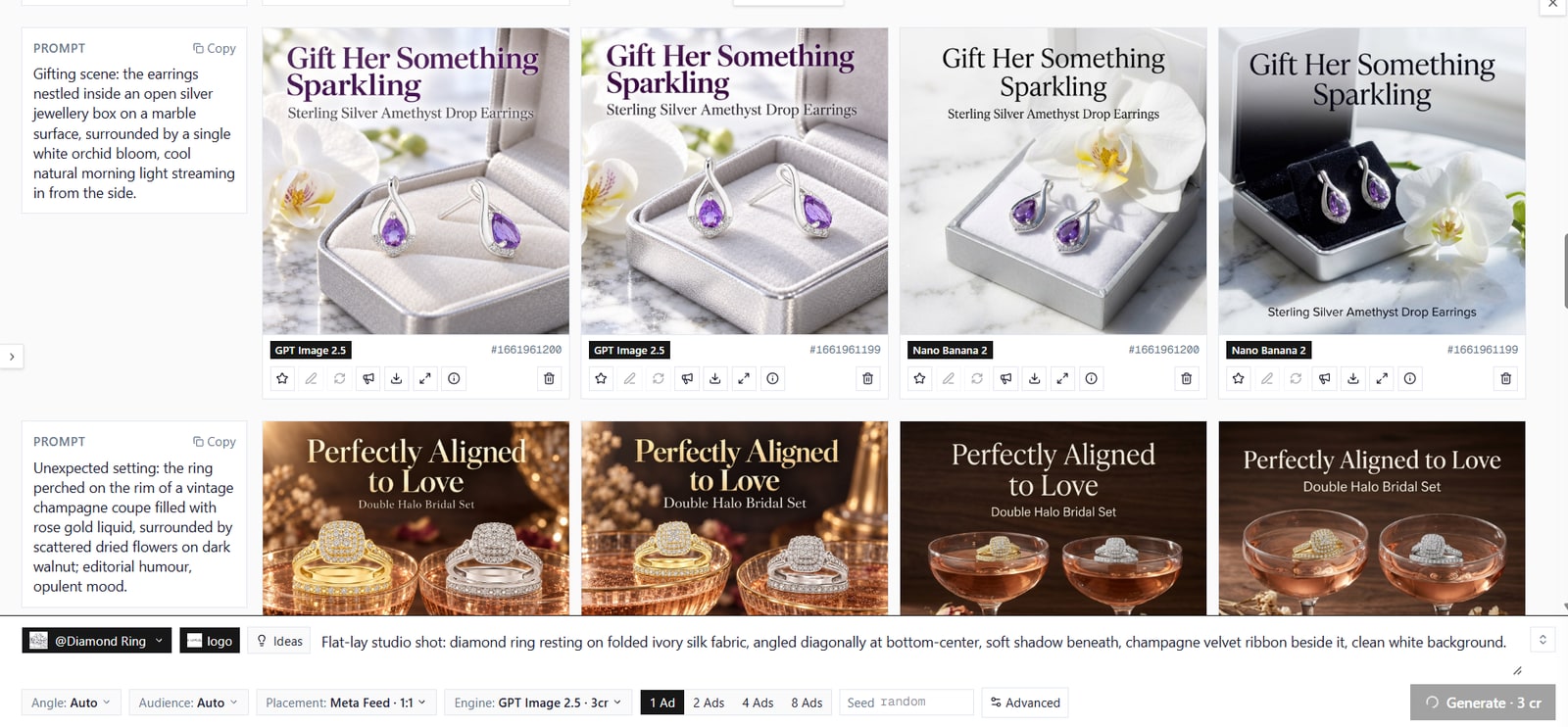
The engine chip is a multi-select. Pick two, three or four, and every engine renders the same brief with the same seed series. The result is a true comparison of the engines, not of four different prompts. Under each ad the feed shows which engine made it, so a side-by-side stays readable a week later.
Some combinations are resolved for you. Non-Latin copy moves to Pro, because Flash cannot render the glyphs. Edits of a previous ad and ads with several reference photos run on Nano Banana 2, because Grok takes one reference and Flux takes none. The feed notes every such switch.
Placements
Choose the frame before you render: Meta feed, portrait and story, Reddit feed, LinkedIn, X, and three free formats. Two Google Display placements are special. They render with zero text and no logo, because Google overlays its own headline and logo on Display and Performance Max assets, and they are composed crop-safe so the same image survives square, landscape and portrait.
Progressive rendering
Press Generate and the batch appears at the top of the feed immediately: one square placeholder per ad, each with a spinner and its engine badge. Ads replace their placeholders the moment they finish. A failed render shows as failed and its credits come back. At most eight renders run at once, so a four-engine, eight-ad batch queues in rounds rather than hammering the engines.
Live today.
The full campaign — copy, images, targeting — generated for your site and deployed paused for your approval.
Every ad keeps its recipe
Click Info on any result and a panel slides in from the right with the prompt, the headline, the scene the brief writer produced, the engine, the seed, the products and the placement. From there:
- Continue uses that ad as the reference and your next prompt as an edit instruction. "Make the background darker" keeps everything else.
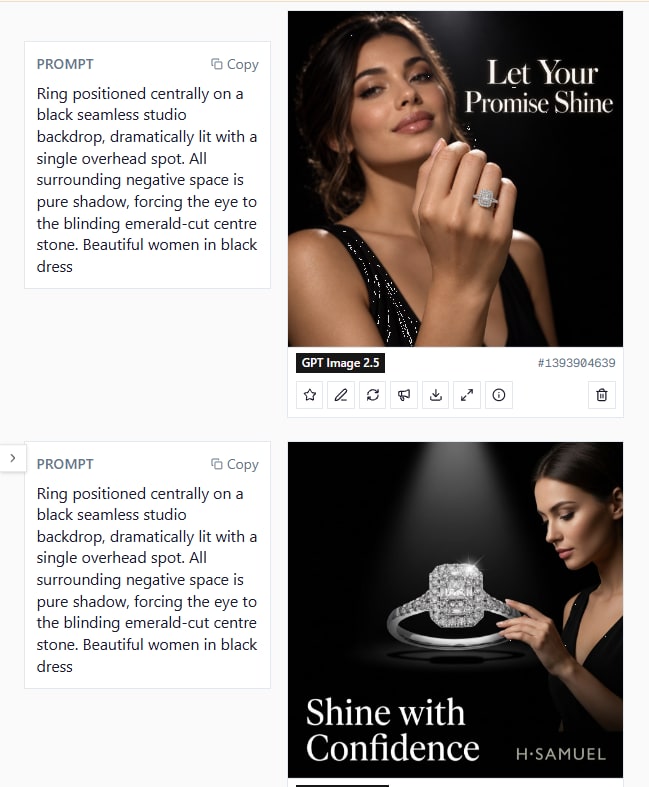
- Vary re-runs the same setup with a new seed.
- Reuse setup loads the prompt, products, engines and advanced settings back into the composer.
- Reuse with seed does the same and pins the seed, so you can change one word and see exactly what it changed.
Star the keepers. Download at the placement's native size. Save to your Creative library to attach to a campaign. Enlarge any ad and browse the whole feed with the arrow keys.
The Advanced panel
Four settings, all optional:
- Exact headline and sub-headline: rendered as typed, no rewrite.
- Copy language: overrides the workspace language for this run only.
- Words to avoid: added to the list from your brand profile.
Everything else, including brand tone and avoid-words from onboarding, applies automatically.
Prompts that work
Short direction plus one concrete constraint beats a paragraph. These are patterns that render well:
- "Our wooden bowl on a breakfast table, morning light, headline about slow Sunday mornings."
- "Three bracelets side by side, which one is you, soft studio background."
- "Make it feel like a page from a luxury magazine. Headline in two words."
- "Same as before, but a darker background and the product closer." (as a Continue edit)
The user prompt is direction. If you need a specific claim or price on the image, put it in Exact headline. The brief writer will not invent numbers, and it will not keep yours unless you dictate them.
Credits and pricing
Ad Studio shares the credit balance with Image Studio. Each ad costs the engine's price: one credit on Flash, two on Nano Banana 2, Grok and Flux, three on Pro and GPT Image. Running four engines with two ads each reserves the sum up front; anything that fails is refunded when the batch finishes. Every account starts with 100 credits and can top up with credit packs. Ad Studio is part of the Founder plan at $39.90/mo.
Where it fits
The campaign wizard is still the fastest way to go from a website to a launched campaign. Ad Studio is where you go when you already know the ad you want, when you need one more variation for a test, or when a product arrived this morning and is not on the site yet. Open it from the dashboard, or from the sidebar under Creative.
Live today.
The full campaign — copy, images, targeting — generated for your site and deployed paused for your approval.
We build AdControlCenter — AI-powered ad management for small businesses, online stores, SaaS companies and service providers. We write what we'd want to read: real numbers, no fluff, the things we wish we'd known when we started.
More from the team →