

Founders paste a one-line brief into Claude, get a polished-looking spreadsheet back, and ship a plan built on hallucinated CPMs and channel assumptions that don't match their actual account history. The plan looks done. It isn't.
The workflow that works is different. AI handles the parts it's good at—synthesis, structuring, scenario math—and your real account data handles everything that requires ground truth. Done in that order, you can compress a multi-day planning process into a single focused working session, without sacrificing the judgment calls that matter.
TL;DR: AI-Assisted Media Planning
- AI is most useful for structuring the brief, generating channel hypotheses, and running budget scenario math—not for supplying CPMs or audience benchmarks you haven't verified.
- The workflow has five stages: brief → channel hypothesis → budget model → platform QA → live monitoring. Skipping stage three is where most teams lose money.
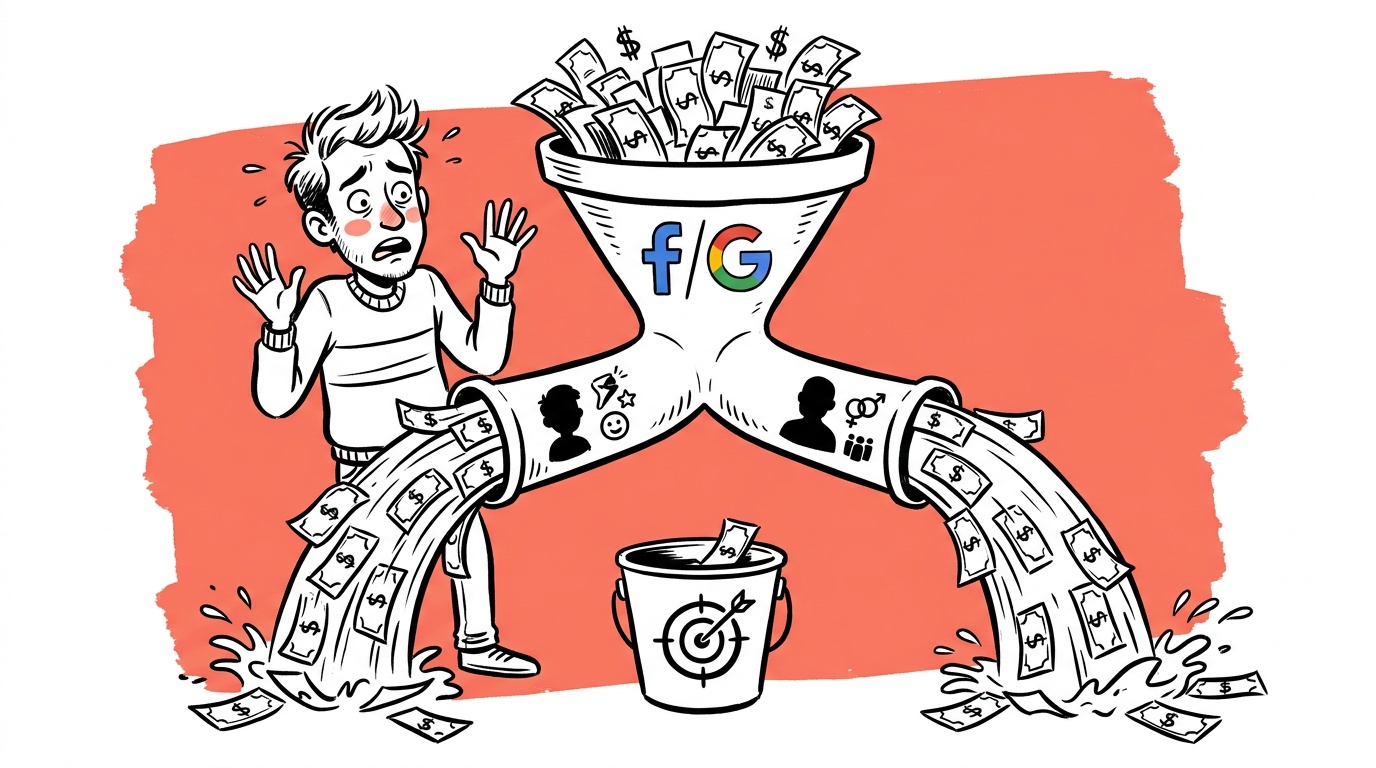
- Google's smart campaigns increasingly retain traffic in walled-garden placements, so your media plan must explicitly account for where impressions are actually being served, not just where you're bidding.
- A structured prompt template—with constraints baked in, not bolted on—produces dramatically more usable output than a free-form "make me a media plan" request.
- The best AI-assisted plans treat the model as a fast junior analyst: it can draft and calculate quickly, but a human with account access has to sign off on every assumption before budget moves.
Why Most AI Media Plans Fail at Step Zero
The brief is the foundation, and most briefs handed to AI are thin. "We sell B2B SaaS, budget is $20k/month, help us plan" tells the model almost nothing it can use. It fills the gaps with averages—industry CPMs, generic funnel stages, channel mixes that would fit a hundred different businesses—and wraps them in confident language.
What a model actually needs to produce a useful first draft:
- Product category and purchase cycle length. A 14-day free trial converts differently than a 90-day enterprise deal. The model needs to know which before it allocates budget between prospecting and retargeting.
- Historical platform performance, even rough numbers. If you've run Google Search before, paste in your rough CPC range and conversion rate. The model will anchor to your data instead of inventing its own.
- Hard constraints. Geography, brand safety requirements, channels you've already ruled out, platforms you don't have creative for. Put these in the brief, not in a follow-up message.
- The decision this plan is meant to support. Is this a board presentation, an internal test budget, or a live campaign brief? The format and precision requirements are completely different.
Write the brief as a structured document—bullet lists, not paragraphs—before you open the model. The discipline of writing it forces you to notice what you don't know.
The Five-Stage Workflow
Stage 1: Brief → Channel Hypothesis
With a structured brief in hand, you're not asking AI to make the media plan. You're asking it to generate a list of channel hypotheses ranked by fit, with explicit reasoning for each.
A prompt that works:
"Given the following brief [paste], list 5–8 paid channels in priority order. For each, state: (a) why it fits this product and cycle, (b) what creative format the channel requires, (c) what assumption about cost or reach you're making that I should verify."
That last clause—what assumption should I verify—is the most important part. It forces the model to surface its own uncertainty rather than bury it in confident prose. You'll get output like: "Assuming LinkedIn CPL in the $80–120 range for this ICP, but verify against your own historical data before committing budget." That's a useful output. "LinkedIn is great for B2B" is not.
Stage 2: Build the Budget Model in Spreadsheet, Not in Chat
Once you have channel hypotheses, move to a spreadsheet. Use AI to write the formulas and scenario logic, not to calculate inside the chat window where you can't audit the math.
A practical split: three scenarios, each with different budget weights between prospecting and retargeting.
- Conservative: heavier retargeting weight, lower reach targets, lower CPA assumption
- Base: balanced, anchored to your best historical CPAs
- Aggressive: heavier prospecting, higher reach, assumes creative will perform at or above historical average
Ask the model to generate the spreadsheet structure and formula logic in plain language, then implement it yourself (or have it write the actual spreadsheet formulas if you're using a tool that accepts code output). Keeping the model out of the final math means a human has verified every cell before budget moves.
Most teams end up running the base scenario but referencing the conservative one when explaining spend to stakeholders. Build both from the start. It costs 20 minutes and saves a lot of uncomfortable questions later.
Stage 3: Pressure-Test Channel Assumptions Against Platform Reality
This is the stage where AI-assisted plans most often break down—because platform reality and model assumptions diverge in ways that are invisible until you're live.
One specific, growing problem: Google's smart campaign types serve impressions across placements that aren't surfaced cleanly in standard reports. Search partners, Display expansion, and Performance Max's placement mix can mean that a budget you allocated to "Google Search" is actually being distributed across channels you didn't explicitly choose. This is not a hypothetical. It's standard behavior in PMax and Smart campaigns.
When we audit new accounts, a consistent pattern emerges: a meaningful share of spend labeled as "Google" is landing in placements the advertiser never consciously chose—Display inventory, Search partners, YouTube—often with conversion rates and CPAs that look nothing like the Search numbers the media plan was built on. The original channel allocations, creative assumptions, and performance targets were all anchored to the wrong premise.
Before finalizing any plan that includes Google, pull an actual placement report from your account for the last 90 days. Compare where impressions were served versus where you thought you were bidding.
Do the same check for Meta: Advantage+ placements distribute budget across Facebook, Instagram, Audience Network, and Messenger. If your plan assumes you're buying Instagram feed, but Advantage+ has found cheaper CPMs on Audience Network, your brand safety assumptions and creative performance assumptions are both wrong.

Live today.
The full campaign — copy, images, targeting — generated for your site and deployed paused for your approval.
Stage 4: Use AI for the Narrative, Not the Numbers
Once the spreadsheet model is validated, AI earns its keep again—writing the plan document. This is genuinely where models save hours. A structured media plan document needs:
- Executive summary
- Channel rationale (one paragraph per channel)
- Budget table with scenario summaries
- KPI targets per channel, with methodology
- Measurement plan: what you'll check weekly, what triggers a reallocation
Paste your verified spreadsheet data and channel rationale notes into the model and ask it to draft each section. You're editing, not writing from scratch. The output will have the right structure; you're correcting anything that doesn't match what your data actually says.
One thing to watch: models tend to write measurement plans that are longer than they are actionable. Push back. Ask it to cut the KPI list to the three metrics that would actually change a budget decision. A plan with 15 KPIs is a plan where nobody knows what to watch.
Stage 5: Build the Reallocation Trigger Before You Go Live
A media plan that doesn't specify when and how to move budget is just a starting position. Build the reallocation rules before launch, not after you notice performance is off.
A simple trigger framework that works:
- Pause a channel if CPA exceeds 1.5× target for two consecutive weeks with more than a minimum threshold of conversions (set this based on your volume—usually somewhere between 15 and 30 conversions to have statistical weight).
- Scale a channel if CPA is below 0.8× target for two consecutive weeks and impression share or delivery has room to grow. (On Google, scaling without inflating CPCs is its own discipline — see how to scale Google Ads without a CPC blowout.)
- Flag for creative review if CTR drops more than 30% week-over-week without a CPA change—this usually signals audience fatigue before the conversion data catches up.
AI can generate this framework given your targets. The important thing is that it's written into the plan document, shared with whoever is managing the accounts, and not left as a mental note.
How to Prompt for a Full Media Plan: A Template
Here is a prompt structure you can use directly. Fill in the bracketed sections before submitting.
Role: You are a senior paid media strategist with experience in [B2B SaaS / ecommerce / lead gen — pick one].

Brief:
- Product: [description]
- Average deal size / AOV: [amount]
- Sales cycle: [days]
- Current monthly ad budget: [amount]
- Historical CPA (if known): [amount or "unknown"]
- Channels already running: [list]
- Channels ruled out and why: [list]
- Geography: [list]
- Campaign goal for next 90 days: [specific goal]

Task:
1. Rank 5–6 channels by fit. For each: rationale, required creative format, and one assumption I must verify before committing budget.
2. Suggest a budget split across channels for the base scenario.
3. Identify the three metrics that should drive reallocation decisions.
4. Flag any assumption in your output that is based on industry averages rather than the data I provided.

Format: bullet lists, not paragraphs. Flag every assumption.
The last line—"flag every assumption"—does real work. Models that aren't asked to distinguish their assumptions from your data will blend them together in ways that look authoritative and are actually unreliable.
When we review a new account's media plan, one of the first things we check is whether the CPA targets match the account's actual historical data. More often than not, the plan has industry-average CPAs that are optimistic by a wide margin. AI-generated plans inherit this problem directly. Your own account data is always the right anchor.
A Note on Tools
You don't need specialized AI tools to run this workflow. A general-purpose model (Claude, GPT-4o, Gemini) handles the brief structuring, hypothesis generation, and document drafting. The Google Ads API and Meta Marketing API are where you pull the placement and performance data that grounds the plan in reality. A spreadsheet connects them — the attribution spreadsheet we recommend doubles as the monitoring layer for the plan.
Where specialized tools add value is in automating the reallocation step—watching your trigger conditions continuously instead of relying on someone to check a dashboard every Monday. That's a different problem from building the plan, but it's the one that determines whether the plan actually performs.
FAQ
What is AI-assisted media planning? AI-assisted media planning is the practice of using large language models—Claude, GPT-4o, Gemini, and similar tools—to accelerate the drafting, structuring, and scenario-modeling stages of building a paid media plan. The AI handles synthesis and formatting; human judgment and real account data handle assumptions and final decisions.
Can AI replace a media planner? Not entirely, and not yet. AI is fast at structuring documents and generating hypotheses, but it can't access your real account data, doesn't know your actual CPAs, and will fill data gaps with industry averages that may be badly wrong for your specific business. The workflow that works treats AI as a fast junior analyst that a senior strategist reviews before anything ships.
What's the biggest mistake teams make when using AI for media planning? Accepting the model's cost and performance assumptions without verifying them against real account data. Models trained on general web data have seen plenty of industry-average CPMs and CPAs. Your account is almost certainly not average. Always anchor to your own historical numbers, even rough ones.
How do I handle Google's smart campaigns in a media plan? Explicitly. Pull a placement report from your account to see where budget is actually going, not just where you're bidding. Performance Max and Smart campaigns distribute spend across placements automatically. If your plan assumes "Google Search" but PMax is buying Display and YouTube as well, your budget allocations, creative requirements, and performance expectations are all based on the wrong premise.
What data do I need before I start AI-assisted media planning? At minimum: your product description and purchase cycle, rough historical CPA or CPL by channel (even if imprecise), your monthly budget, any hard constraints (geography, brand safety, creative availability), and the specific goal this plan is meant to hit over the next 90 days. More is better, but these are the inputs that matter most.
How long does the AI-assisted media planning workflow take? The drafting and scenario-modeling stages compress significantly compared to working manually—brief structuring, hypothesis generation, and document writing all go faster. The validation stages (platform placement audits, spreadsheet review) take as long as they always did. Total time depends on how many channels you're planning across and how complete your historical data is.
What should my media plan's KPI list look like? Short. Three to five metrics maximum, each tied to a specific decision. If a metric wouldn't change a budget allocation or a channel pause decision, cut it. A common working set: CPA or CPL per channel, channel-level conversion rate, and weekly spend pacing versus plan. (Meta in particular can overshoot daily budgets — why Facebook spends more than your daily budget explains the pacing rules.) Everything else is context, not a decision driver.
The fastest way to make this concrete: take your current media plan, paste it into a model, and ask it to list every assumption in the document that isn't backed by data you provided. The length of that list is a reasonable proxy for how much risk your plan is carrying. Start there.
Live today.
The full campaign — copy, images, targeting — generated for your site and deployed paused for your approval.

We build AdControlCenter — AI-powered ad management for small businesses, online stores, SaaS companies and service providers. We write what we'd want to read: real numbers, no fluff, the things we wish we'd known when we started.
More from the team →