Studio-quality product photos, inside WooCommerce
Creative Studio turns the product photos you already have into polished, store-ready images and ready-to-post ad creatives — without leaving your WordPress dashboard. Pick a product, choose a scene, click Generate.
v0.18.4 · GPL-2.0 · Free weekly credits · No signup required
Before & after
One product photo. A whole shoot.
Every example below started as a single photo a seller already had — no studio, no reshoot.
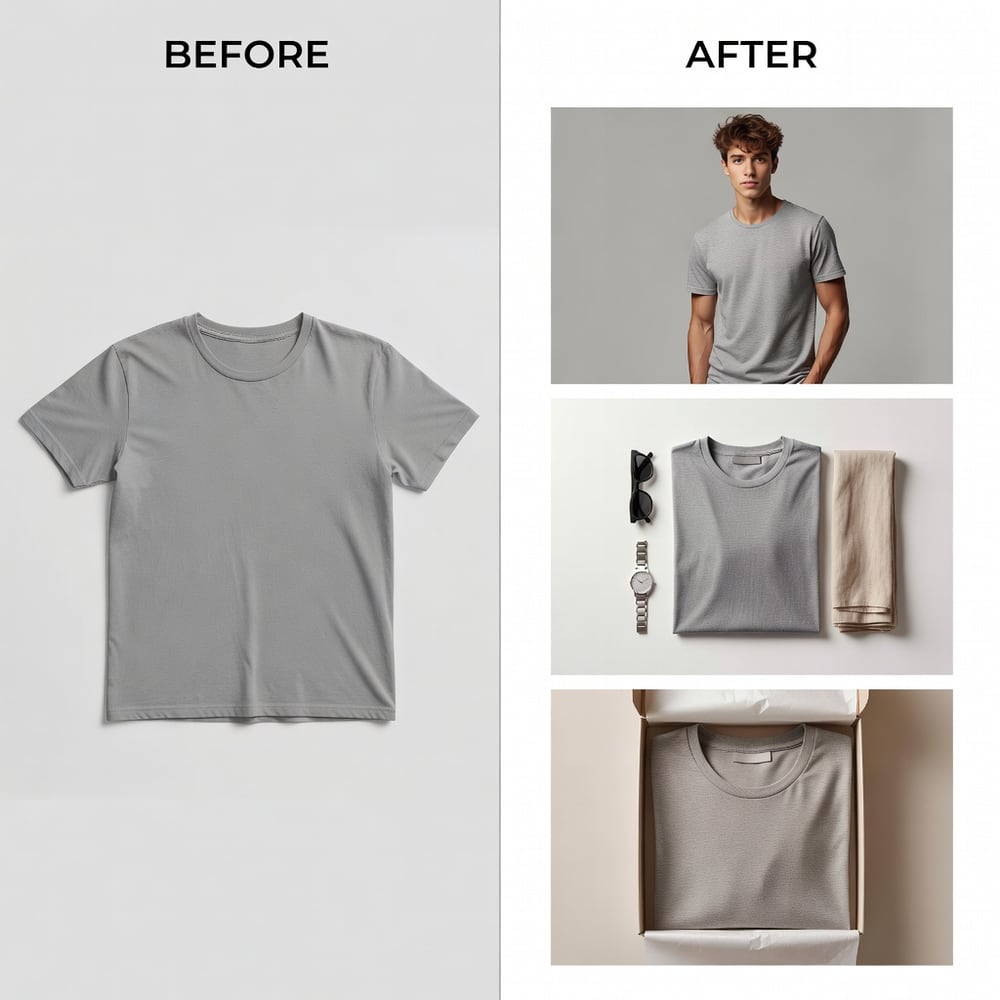
One flat tee photo → on-model, styled flat-lay, unboxing
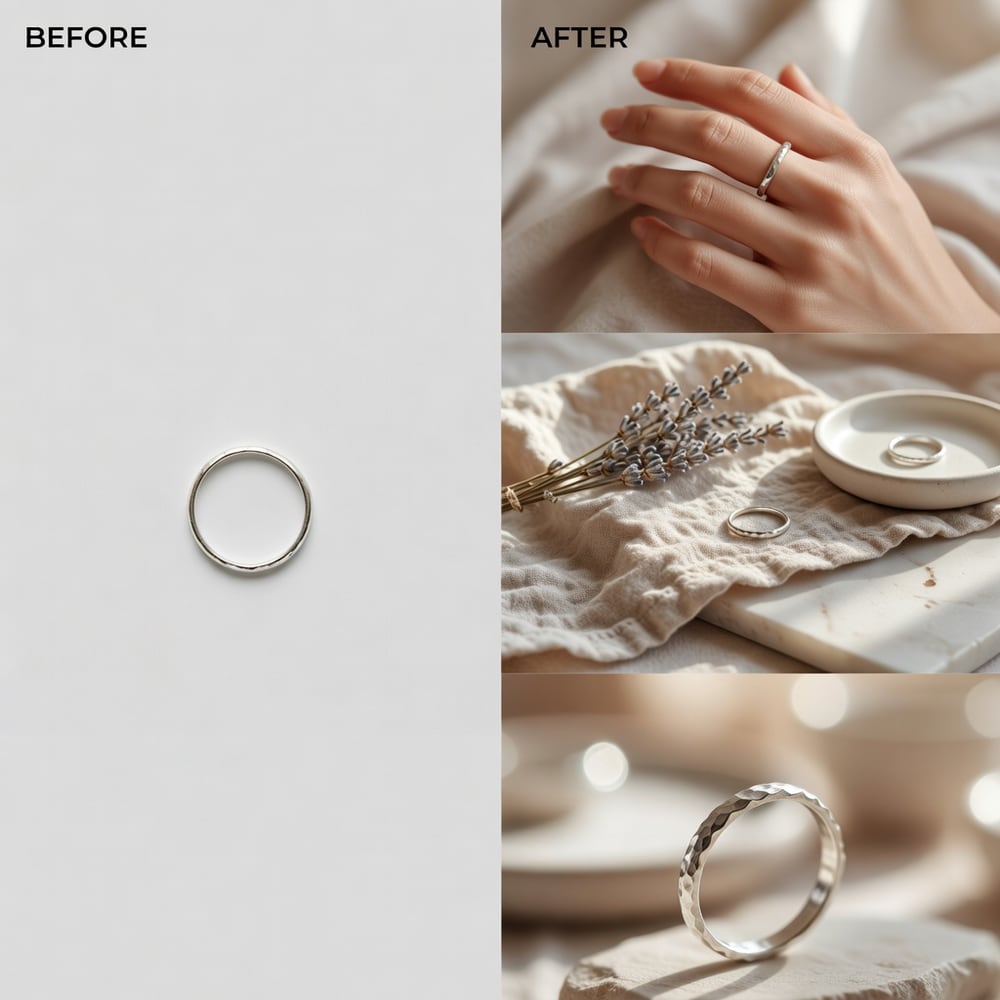
One catalog shot → on-hand, lifestyle, hero close-up
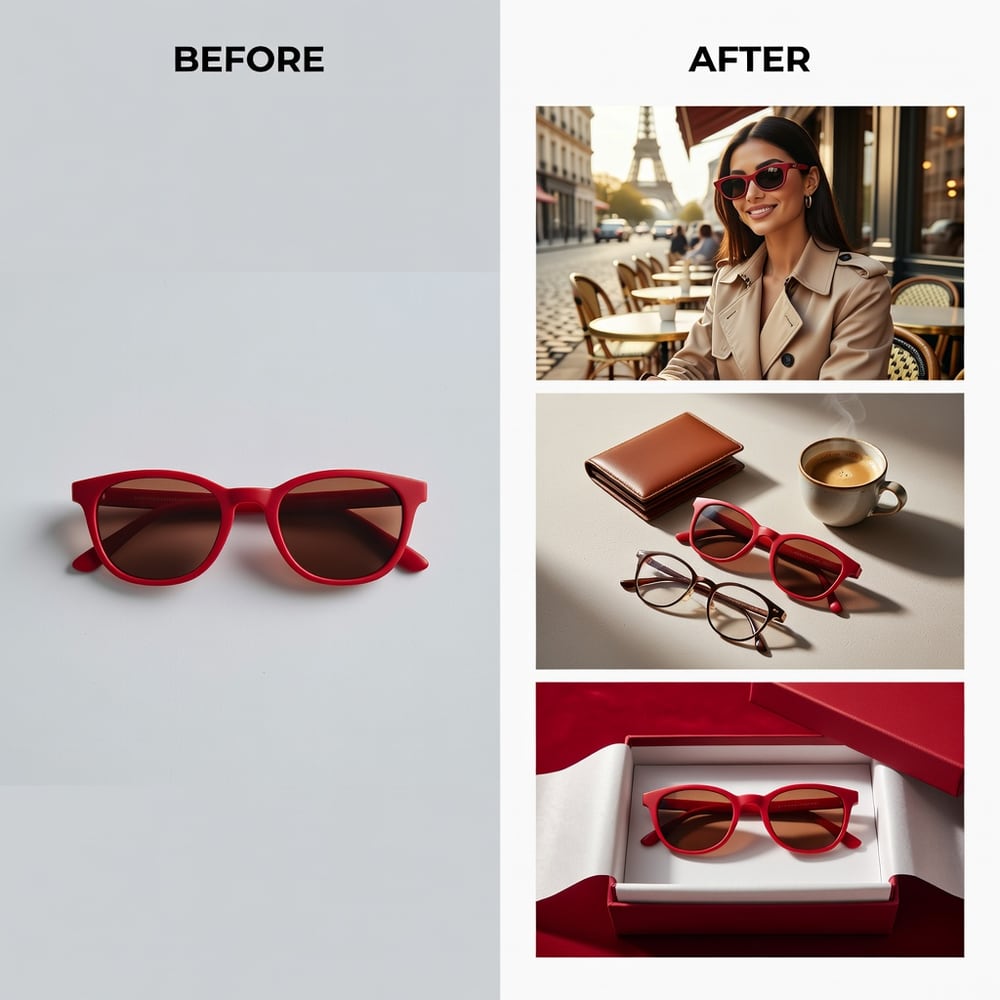
One product photo → street style, flat-lay, gift box
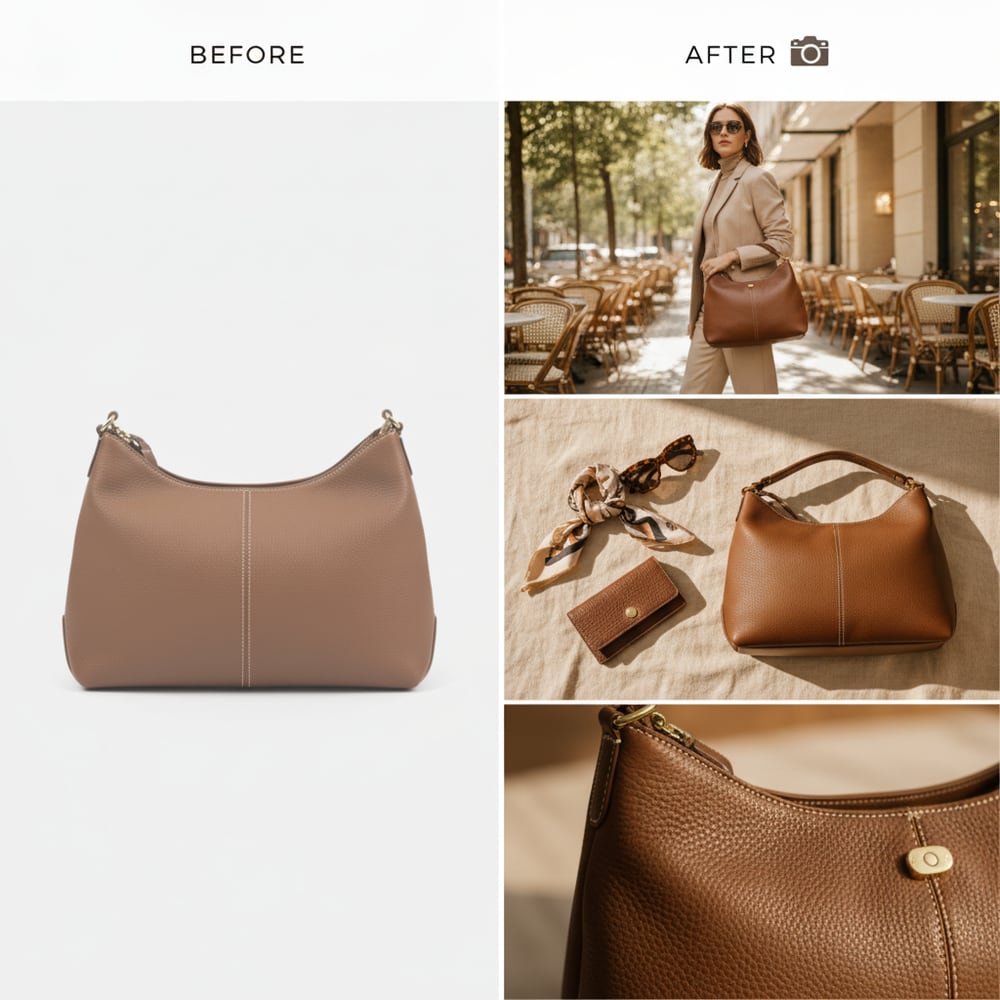
One studio shot → in-context, styled, hero detail
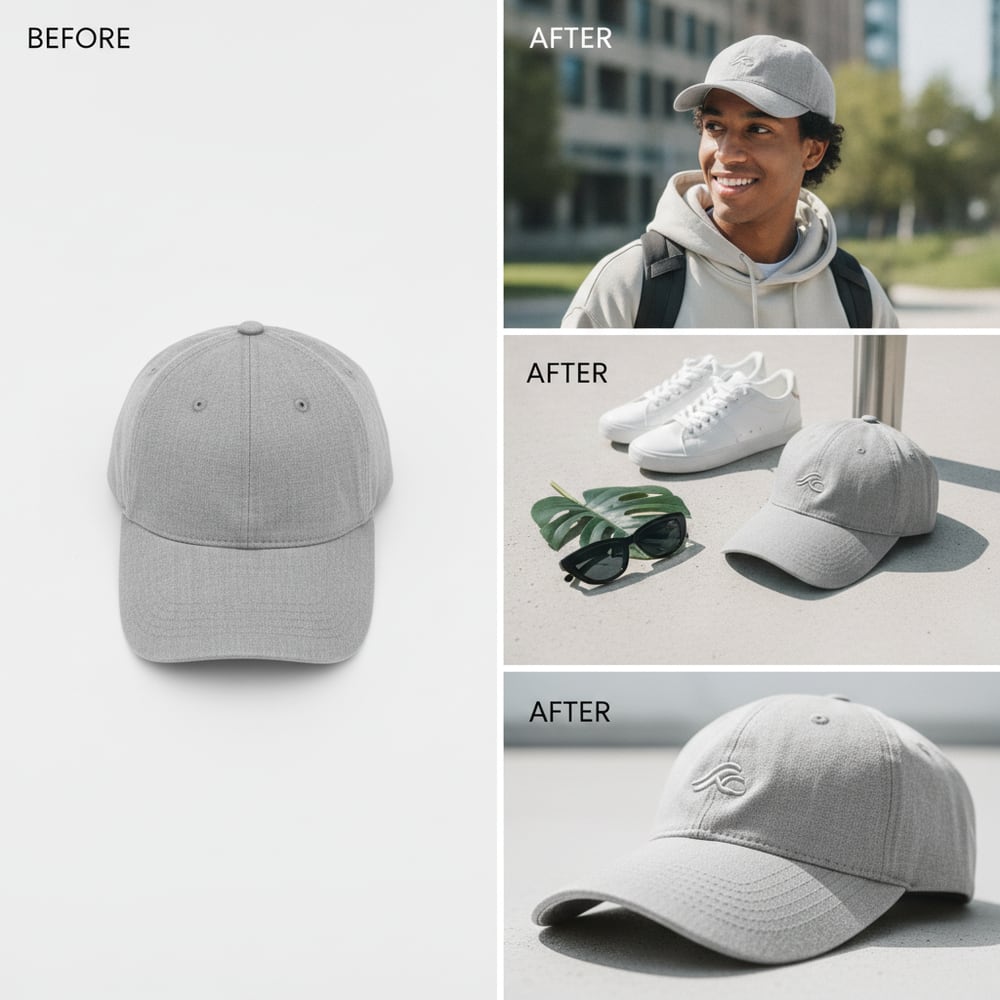
One plain cap → worn, flat-lay, product detail
Install free from WordPress.org and turn your catalog into scroll-stopping shots.
Get it on WordPress.orgThe short version
A free WordPress plugin for WooCommerce stores. It uses AI to turn your existing product images into professional photoshoots and ad creatives, right from WP admin. The plugin is 100% functional out of the box — you only ever pay the AdControlCenter service for extra image credits, never to unlock features. It is free on the WordPress.org plugin directory — install it in one click from your WP admin.
What it does
Everything happens inside your WordPress admin.
AI product photoshoots
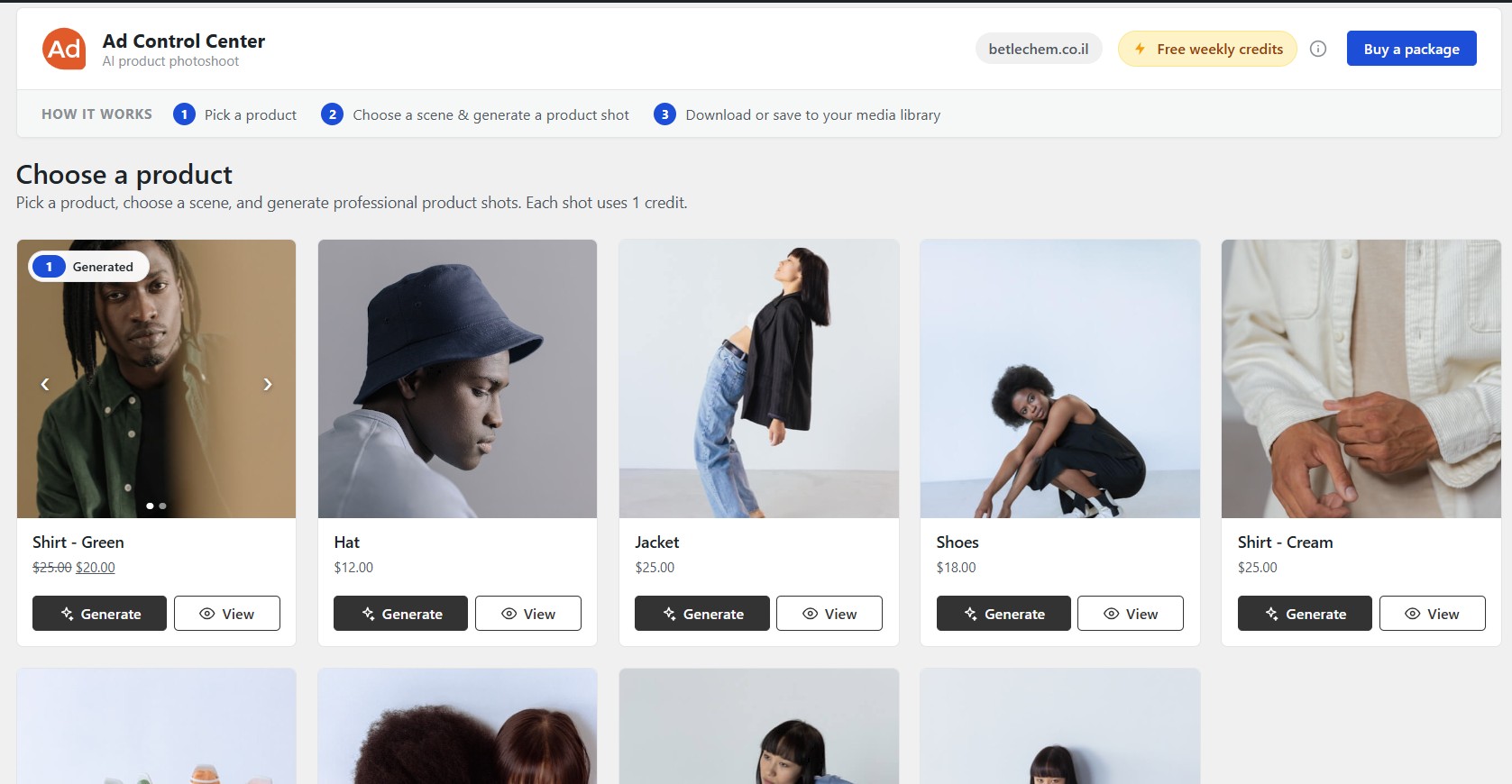
Pick any product and turn its existing photo into polished, store-ready shots — no studio, no photographer, no design skills.
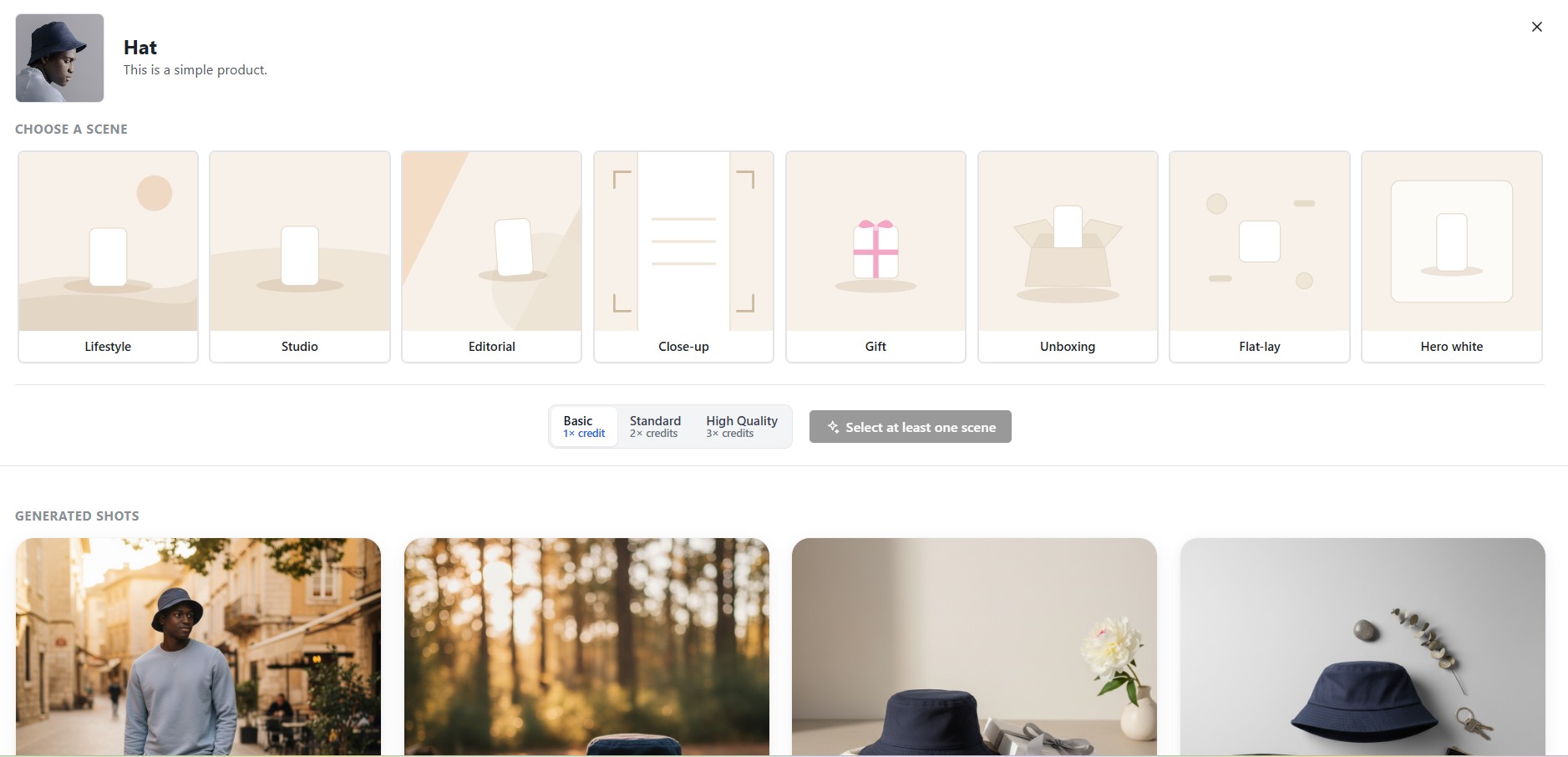
8 professional scene styles
Lifestyle, Studio, Editorial, Close-up, Gift, Unboxing, Flat-lay and Hero white. Choose the look that fits each product.
Generate 1 or 3 — then refine
Get a single shot or three variations at once. Not happy? Regenerate with a short note describing what to change.
Compose ad creatives
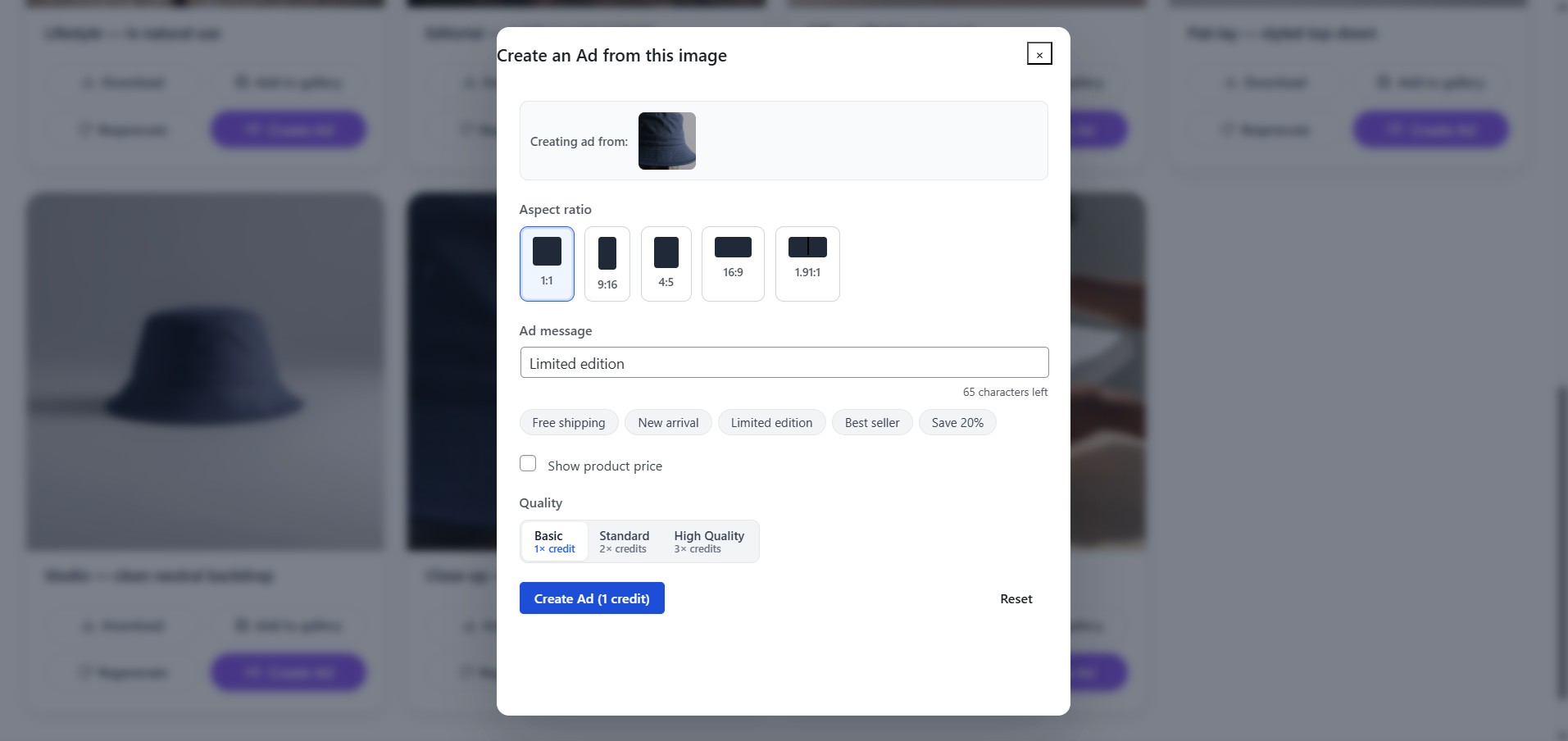
Turn an enhanced image into a finished ad: add your message, pick the aspect ratio (Feed, Reels, Story), and toggle the price.
Save where you need it
Download the image, drop it straight into your Media Library, or add it to the product gallery. Originals are never touched.
Everything in one place
A History page lists every image you have generated, so you can come back and reuse or save them any time.
Eight scene styles, one click each
Every product can be shot in a different mood. Select one scene or several, choose a quality tier, and generate them all in a single batch.
Lifestyle
In-context, real-world settings
Studio
Clean seamless backdrop
Editorial
Magazine-style composition
Close-up
Detail and texture focus
Gift
Gifting / seasonal framing
Unboxing
Open-box, packaging moment
Flat-lay
Top-down arranged scene
Hero white
Crisp white hero shot
How it works
Three steps to a better product shot
Pick a product
Open Creative Studio in your WP admin. Every WooCommerce product shows up with Generate and View buttons.
Choose a scene & generate
Select one or more scene styles and a quality tier, then click Generate. Your shots appear in a few seconds.
Download or save
Download the result, save it to your Media Library, or add it to the product gallery — or turn it into an ad creative.
A look inside
Free to use. Pay only for extra volume.
No subscription. One credit = one generated image.
Free weekly credits
Every site gets a batch of free image credits each week — enough to try it on real products with no signup.
- No account needed to start
- Resets automatically every week
- All scene styles included
- Every feature unlocked
One-time credit packs
Need more? Buy a pack, paste the license key into the plugin, and keep generating. No recurring charge.
- One-time purchase — never a subscription
- Quality tiers: Basic 1× · Standard 2× · High 3× credits
- One license key per site
- Buy more any time from the plugin
Get Creative Studio
It is live and free on the official WordPress.org plugin directory. Install it in one click from your WP admin, or open the listing on WordPress.org.
Get it on WordPress.orgGPL-2.0 · WordPress 6.0+ · PHP 7.4+ · WooCommerce required
Install in under a minute
- 1In WP admin, go to Plugins → Add New.
- 2Search for "Creative Studio AI" and click Install Now.
- 3Activate it, and make sure WooCommerce is active.
- 4Open Creative Studio in the admin menu, pick a product, and click Generate.
Running ads as well as a store? Create a free AdControlCenter account to manage campaigns across Google, Meta, Reddit and more.
FAQ
Questions about the plugin
Everything a WooCommerce store owner usually asks before installing.
Is it really free?+
Yes. The plugin is free and fully functional — every button works out of the box. Each site gets free image credits every week (each generated image uses one credit). If you need more volume, you can buy a one-time credit pack — there is no subscription, and you never pay to unlock plugin features.
Do I need an account to start?+
No. You can start generating images on the free weekly credits with no signup. To add more credits you complete a one-time checkout and paste the license key you receive into the plugin. Connecting an AdControlCenter workspace is optional.
Does it change my original product images?+
Never. Generated images are always separate. You decide whether to download them, add them to your Media Library, or add them to the product gallery. Your original product photos are left exactly as they are.
What do I need to run it?+
WooCommerce installed and active, WordPress 6.0+, and PHP 7.4+. Your site also needs to be reachable over the public internet so the service can fetch the source image you choose to enhance.
Where do I get the plugin?+
It is free on the official WordPress.org plugin directory. In your WP admin go to Plugins → Add New, search for "Creative Studio AI", then click Install Now — or open the listing on WordPress.org and install from there.
How do I install it?+
In your WP admin go to Plugins → Add New, search for "Creative Studio AI", click Install Now and then Activate. Make sure WooCommerce is active, then open Creative Studio from the admin menu.
Does it work on WordPress multisite?+
It is designed for single-site installs.
What size are the images it generates?+
Catalog images come out square at 1080×1080 pixels — the ratio WooCommerce crops shop-page thumbnails to by default, and the same square spec Meta and other ad platforms use, so one image works in your store and in an ad without resizing. Ads can also be generated at 9:16, 4:5, 16:9 and 1.91:1.
Related reading
More on product images and ads
Guide
WooCommerce product image size: the 1080×1080 rule
What WooCommerce actually does with your upload, why square at 1080 is the right default, and a measured PNG vs JPEG vs WebP benchmark.
Field notes
We tested 4 image models on real product photos
Which generator actually keeps a product looking like the product — and where each one falls apart.
Field notes
How AI image generation is changing ad creative
What changes when producing a new ad image costs seconds instead of a shoot.
Guide
How to import ads in bulk into Meta Ads Manager
Turn store images into a whole Facebook campaign from a single spreadsheet.