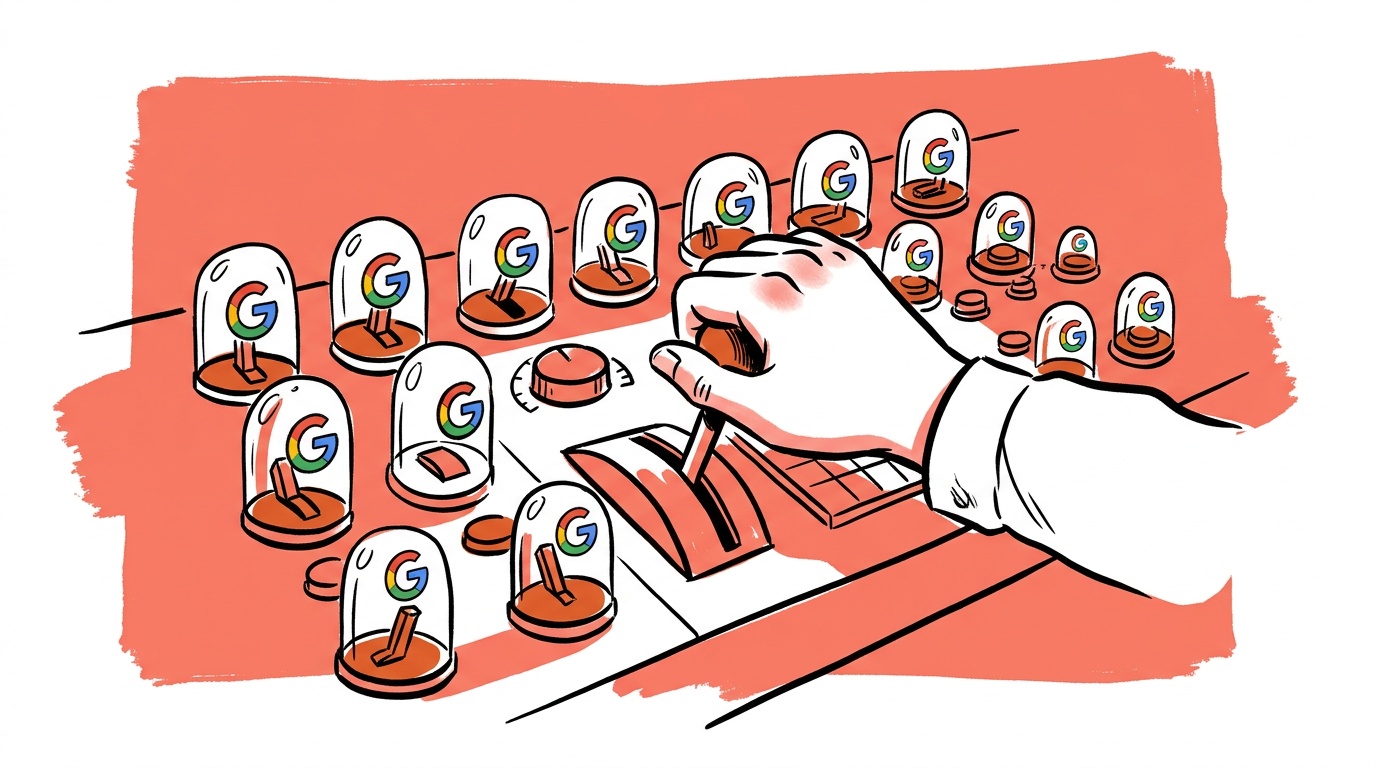


Founders running Performance Max tend to spend time on the things Google lets them see — asset group performance scores, channel mix percentages, insight cards — and ignore the things that actually determine results: feed quality, audience signal construction, and campaign structure before launch. The UI is not designed to help you find the real levers. This post is.
Here's the real situation: PMax gives Google near-total authority over where your ads appear and which creative it serves. What's left for you is meaningful — but it's a short list. If you're fuzzy on which side of that line you're standing on, you'll waste budget and blame the product.
TL;DR — Google PMax Strategy and Control
- PMax controls placement, creative selection, and bidding; you control budget, audience signals, asset quality, product feed structure, and (increasingly) channel exclusions.
- The learning phase takes approximately 6 weeks after any significant change — Google's own documentation confirms the window, though high-volume accounts can move through it faster. Avoid edits that reset the clock unless you have a real reason.
- Asset groups are your main creative lever: treat them like hypotheses, not set-and-forget uploads.
- A single-product PMax campaign can outperform a broad one when your feed and signals are tight — segment intentionally, not by default.
- Google appears to be testing an option to disable Google Display Network and Search Partners inside PMax, which would be the most significant control expansion since the format launched.
The Short List of Things You Actually Control
Let's be direct. Inside a PMax campaign, you own:
Budget and bidding targets. Target ROAS and Target CPA are still your inputs. The algorithm optimizes toward them, but setting an unrealistic tROAS is the fastest way to strangle delivery. If your account is new or the campaign just launched, set a tROAS close to what your manual Shopping campaigns actually achieved — not what you want to achieve.
Audience signals. This is probably the most under-used lever. Audience signals are not targeting; Google can and will go outside them. But they tell the algorithm where to start learning. Upload your customer list, your site visitors segmented by funnel stage, and any custom intent audiences built from competitor URLs or high-intent search terms. Better signals mean a shorter, cheaper learning phase. We rank the signal inputs by influence in PMax demystified: asset groups, bidding and control.
Asset groups and creative. Text headlines, descriptions, images, logos, and video all live here. Google picks which combinations to serve. Your job is to give it enough variety that it has real options, and to remove assets with weak performance once you have statistical weight behind the decision.
Feed quality and product segmentation. For retail, this is arguably more important than anything else in the UI. Title structure, accurate GTINs, clean pricing, and well-written descriptions are all inputs the algorithm uses to match queries. Garbage in, garbage out — and the algorithm won't tell you which fields are costing you.
Negative keywords (at the account level, and now via campaign-level exclusions). You cannot add negative keywords directly to a PMax campaign the way you would a Search campaign. What you can do: apply account-level negative keyword lists, and use the brand exclusion settings to prevent cannibalizing your own branded traffic. As of early 2025, Google added a formal brand exclusion feature inside PMax settings.
Listing groups. If you're running a retail campaign, listing groups let you subdivide your product catalog inside an asset group — by category, brand, custom label, or product ID. This is real segmentation you should use.
A Practical Control Matrix
The table below maps each lever to where it lives, whether it applies to Retail and Lead Gen goals, and how much actual impact it has on delivery and results.
| Lever | Applies to | Where in UI | Real impact |
|---|---|---|---|
| Budget | Retail + Lead Gen | Campaign settings | High — sets the ceiling |
| tROAS / tCPA | Retail + Lead Gen | Campaign settings | High — shapes bidding model |
| Audience signals | Retail + Lead Gen | Asset group settings | High — seeds the learning phase |
| Asset quality + variety | Retail + Lead Gen | Asset group → Assets | High — determines creative inventory |
| Feed quality (titles, GTINs, pricing) | Retail only | Merchant Center | Very high — affects query matching |
| Listing group subdivisions | Retail only | Asset group → Listing groups | Medium-high — visibility + margin control |
| Account-level negative keyword lists | Retail + Lead Gen | Shared library → Negative keyword lists | Medium — blocks known waste |
| Brand exclusions | Retail + Lead Gen | Campaign settings → Brand exclusions | Medium — prevents cannibalization |
| Channel network exclusions (GDN, Search Partners) | Retail + Lead Gen | Campaign settings → Networks | Rolling out — check your account |
What You Don't Control (And Probably Wish You Did)
The list is longer.
You cannot control which specific placements your ads appear on. Search, Shopping, Display, Discover, Gmail, Maps, YouTube — PMax can use all of them, and it allocates budget across channels automatically. You get a high-level channel mix report, but you cannot force budget into Search and out of Display the way you could with separate campaigns.
You cannot see search term reports at the query level in the way Search campaigns show them. Google introduced an insights panel that surfaces some search themes, but it's aggregated and delayed. You're flying partially blind on which queries are triggering your ads.
You cannot control creative rotation in any meaningful way. Google's system decides which asset combinations to show and when. If you upload five headlines and three images, the algorithm will weight toward combinations it predicts will perform — you don't override that.
You cannot apply device bid adjustments inside PMax the way you can in Standard Shopping or Search. There is no campaign-level device modifier.
The GDN and Search Partners question. A Reddit thread from r/googleads flagged something in mid-2025: Google appears to be testing an option to let advertisers disable Google Display Network and Search Partners within PMax. If that ships broadly, it would be the most significant control addition to the format since launch. This has not been confirmed as a general release — check your campaign settings under "Networks" to see if it's available in your account.
The Learning Phase: What It Actually Means
The PMax learning phase is Google's signal collection window. The campaign needs enough conversion data to build a reliable bidding model. Google's official documentation states the window is approximately 6 weeks for most campaigns, with high-conversion-volume accounts moving through it faster.
During the learning phase, performance is genuinely unstable. CPAs swing. ROAS looks wrong. This is expected and not a signal to make changes — because significant edits restart the clock. The changes most likely to trigger a reset: large budget increases or cuts, tROAS or tCPA target changes, adding or removing asset groups, and switching bidding strategies entirely. The staged budget-increase cadence is how you raise spend without triggering that reset.
What you should actually be doing during those 6 weeks:
- Fix your feed. Run a feed audit. Check for disapproved products, missing GTINs, truncated titles, and images below spec. Every disapproved product is inventory the algorithm can't use.
- Build better audience signal lists. Pull your CRM data. Segment past purchasers from browsers. Upload a custom intent list based on the exact search terms that have historically converted in your Search campaigns.
- Review your negative keyword lists. Are there brand or competitor terms you definitely don't want to trigger? Account-level negatives apply to PMax. Clean them up now, before the algorithm burns budget on them.
- Prepare creative variants. You can add assets after launch without resetting the learning phase if you're not changing structure. Prepare backup headlines and new images to test once the campaign exits learning.
Don't cut budget because early CPA looks high. Don't change your tROAS target because week-two ROAS looks wrong. Don't add or remove asset groups. The algorithm is calibrating — interrupting it costs you the data it already collected and restarts the window.

Live today.
The full campaign — copy, images, targeting — generated for your site and deployed paused for your approval.
PMax vs. Standard Shopping + Search: When to Actually Use Each
This is the question founders running premium or specialized retail stores keep asking, and the honest answer is: it depends on your conversion volume and how much you trust the algorithm with your margin mix.
PMax makes sense when:
- You have consistent conversion volume sufficient for Smart Bidding to learn reliably —
- Your product catalog benefits from broad discovery (Discover, YouTube, Gmail placements are useful to you)
- You've already mined your Search campaigns for high-intent keywords and know which terms convert
- You have real creative assets — video especially. PMax without video will auto-generate something, and what it generates is usually worse than what you'd produce yourself
Standard Shopping plus Search makes more sense when:
- You're running a high-AOV, low-volume product where one bad placement is expensive
- You need granular bid control by product or query
- You're in a category where brand safety matters and you can't afford to appear on low-quality Display placements
- You're early stage and don't have the conversion history for PMax to learn from
The thread on single-product PMax campaigns surfaces one pattern worth testing: tight single-SKU or single-category campaigns with very focused audience signals. When your feed is one product and your signals are customers who already bought something adjacent, the algorithm has far less noise to work through.
How to Structure PMax Campaigns If You're Going to Run Them
The structural decision that matters most: how many campaigns, and how many asset groups inside each.
Our recommendation for most retail accounts: one PMax campaign per meaningful business objective, segmented by product margin tier or category — not one campaign for everything. How many campaigns that adds up to depends on conversion volume — see how many Google Ads campaigns you actually need.
Inside each campaign, use listing groups to separate high-margin products from low-margin ones. This doesn't give you direct bid control, but it gives you visibility into where budget is going and lets you pause underperforming segments without touching the whole campaign.
Asset groups should map to audience intent, not product categories. An asset group for replacement buyers (people who already own the product and need a new one) should have different creative than one for first-time buyers comparing options. The algorithm handles placement; you handle message relevance.
We've audited accounts where PMax had one asset group containing 15 headlines written to different audiences, no meaningful audience signal, and no listing group subdivision. The algorithm was being asked to do too much disambiguation at once. Splitting into three focused asset groups with matching signals cut CPA measurably within the next learning window.
The Honest Verdict
PMax is not a set-it-and-forget-it product, and it's not a product where you can manually steer the way you can with Search. It's a system where your inputs at setup time — signals, feed quality, creative quality, campaign structure — largely determine your output, and where the cost of bad early inputs compounds over the learning window.
If you go in thinking you'll optimize your way out of a bad structure, you'll spend 6 weeks learning that the algorithm trained on the wrong data. If you treat the pre-launch week as the highest-leverage time you have, the campaign has a real shot.
The specific thing to do before your next PMax launch: run a feed diagnostic, upload a fresh customer match list, and write asset group headlines that are actually differentiated from each other. That work happens before you ever click "publish," and it matters more than anything you'll do in the dashboard afterward.
FAQ
What does the PMax learning phase mean, and how long does it last?
The PMax learning phase is the period after launch when Google's bidding algorithm collects conversion data to calibrate its model. Google states it takes approximately 6 weeks for most campaigns. High-volume accounts can move through it faster. During this time, performance metrics are unreliable — avoid significant changes to budget, bidding targets, or campaign structure, as these can reset the learning window.
Can you add negative keywords to a PMax campaign?
Not directly at the campaign level the way you can in Search. You can apply account-level negative keyword lists that affect PMax, and you can use brand exclusions in the campaign settings. As of 2025, there is also a formal brand exclusion feature inside PMax specifically for preventing branded query cannibalization. Query-level negative keyword control inside PMax remains limited compared to Search.
Is PMax better than Standard Shopping for ecommerce?
Depends on your conversion volume and control requirements. PMax can outperform Standard Shopping when you have sufficient conversion history and strong audience signals, because it accesses more placement inventory. Standard Shopping gives you more direct control over bids by product and more transparent query-level reporting. For high-AOV, low-volume catalogs, the control advantages of Standard Shopping often outweigh PMax's reach advantages.
What are audience signals in PMax, and how important are they?
Audience signals are suggested starting points you give Google's algorithm — customer lists, remarketing audiences, custom intent audiences. They are not hard targeting. The algorithm will go outside them. But they significantly affect where the learning phase starts and how fast the campaign reaches stable performance. Uploading a high-quality customer match list and a custom intent audience built from proven search terms is one of the highest-leverage actions you can take before or at launch.
What should I do while PMax is in the learning phase?
Audit and fix your product feed. Build stronger audience signal lists. Clean up account-level negative keyword lists. Prepare creative variants you can add after the learning phase without disrupting structure. Do not change tROAS targets or budgets significantly — the learning phase requires stability to produce useful data.
Can PMax campaigns be used for single products?
Yes, and in some cases they work well. A single-product PMax campaign with a focused audience signal and clean creative tends to learn faster because there's less noise in the data. The risk is that single-product campaigns don't accumulate the conversion volume needed to exit the learning phase quickly if the product has a long purchase cycle or low traffic.
What levers actually exist to control PMax placement?
Currently: account-level and brand exclusion negatives, budget allocation at the campaign level, and the channel network settings (which may soon include GDN and Search Partners toggles if the feature flagged in r/googleads rolls out broadly). You cannot directly force budget into specific channels or block individual placements the way you can with Display campaigns. Feed quality and audience signal quality are indirect but real inputs into which placements the algorithm favors.
Live today.
The full campaign — copy, images, targeting — generated for your site and deployed paused for your approval.

We build AdControlCenter — AI-powered ad management for small businesses, online stores, SaaS companies and service providers. We write what we'd want to read: real numbers, no fluff, the things we wish we'd known when we started.
More from the team →