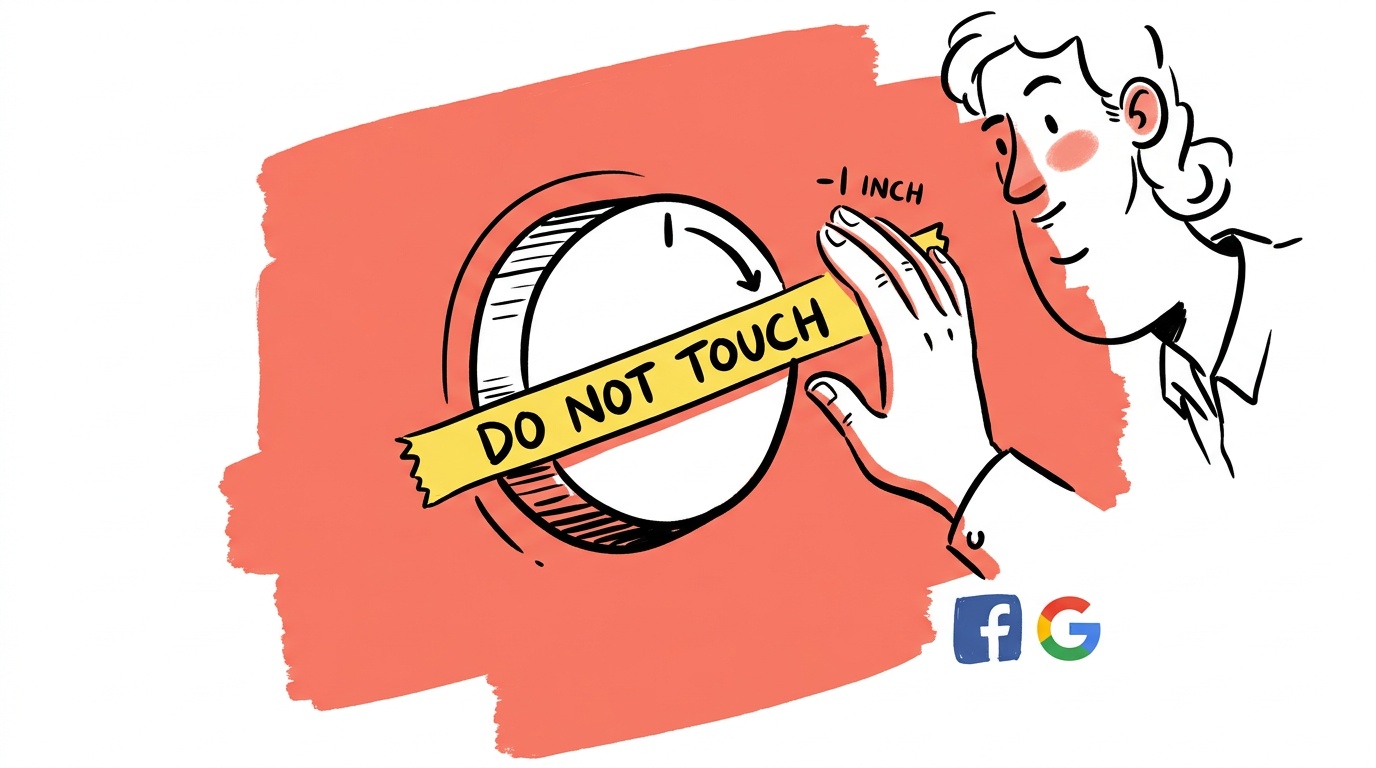

The most expensive thing you can do in a Google Ads account is make a change the day after a bad week.
A campaign underperforms for five days. The founder panics, slashes bids or restructures ad groups, and watches the algorithm reset its learning — turning a temporary dip into a permanent regression. The original campaign was often fine. The optimization broke it.
This post is about that specific failure mode: reactive, poorly-timed changes that destroy campaigns that were quietly working. We'll also cover what good optimization looks like in 2026, when Google's automation handles more than ever and the human job is less "tune every lever" and more "know when to leave it alone."
TL;DR — Google Ads Optimization in 2026
- The single most common optimization mistake is making structural changes during normal statistical variance — wait for meaningful data windows before acting.
- Smart Bidding and Performance Max need at least a few weeks of clean data before you can fairly evaluate them; most accounts pull the plug too early.
- Negative keywords remain the highest-ROI manual intervention available, but broad match without negatives is where budgets quietly hemorrhage.
- Changing bids, budgets, and creative at the same time makes it impossible to isolate what moved performance — always change one variable at a time.
- When a campaign genuinely breaks, the fastest recovery path is to stabilize signals first (budget, bidding, audiences) before touching creative or structure.
The Optimization Trap: Why Busier Accounts Aren't Better Accounts
There's a founder archetype that shows up immediately in account change history: dozens of edits per week, bid adjustments every few days, ad groups constantly reshuffled. The account looks busy. Performance is usually mediocre.
The trap is psychological. When you're spending real money and results wobble, inaction feels irresponsible. But Google's auction system and Smart Bidding algorithms are probabilistic. Short-run variance is baked in. A campaign that converts well over 30 days will have individual days — and even weeks — that look terrible. Reacting to those moments resets learning cycles and introduces new variables that make diagnosis harder.
The discipline is separating "the algorithm is working through variance" from "something is structurally broken." That distinction determines almost everything about when to act.
What Smart Bidding Actually Needs From You
Google's Smart Bidding — Target CPA, Target ROAS, Maximize Conversions — is meaningfully more capable than it was even two years ago. It prices auctions across signals you cannot see: device, location, time, audience overlap, query intent, and many more. No manual bid strategy competes with that breadth.
But it has a real dependency: conversion signal quality. Feed it garbage and it optimizes toward garbage.
The most common signal problems we see:
Micro-conversions counted as primary goals. If "page scroll" or "session duration" is your primary conversion action and it fires hundreds of times per day, Smart Bidding will optimize for it — not for purchases or leads. Audit your conversion actions. Make sure the algorithm is chasing the thing you actually care about.
Conversion value set to zero. If you're running Target ROAS but your conversion values are all identical or zero, the "ROAS" number is meaningless. Google is optimizing a ratio with a broken numerator.
Importing goals from GA4 without checking deduplication. GA4 and the Google Ads tag can double-count if both fire on the same thank-you page. Your CPA looks great; your actual close rate hasn't moved. This is more common than most people realize, and it's one of the quiet reasons campaigns appear to "stop working" after a measurement change.
When you switch bid strategies or make a significant budget change, expect two to four weeks of degraded performance while the algorithm rebuilds its model. This isn't Google stalling. If you bail during that window, you'll never know whether the strategy would have worked. Set a calendar reminder to evaluate after the learning period ends, not during it.
Negative Keywords in 2026: Still the Highest-ROI Manual Lever
Broad match has expanded its reach significantly, and Performance Max serves across Search, Display, YouTube, Shopping, and Discover simultaneously. Both are powerful. Both will spend your money on irrelevant queries if you don't actively manage exclusions.
Negative keywords don't get reset by algorithm updates. They don't require a learning period. They're the one place where human judgment is directly superior to Google's default behavior — because Google's incentive is reach, yours is efficiency.
A practical approach that works across account sizes:
- Pull your Search Terms report weekly for active campaigns. (PMax search terms are now available in the report, though the data is sampled.)
- Flag any query that has spent more than one target CPA equivalent with zero conversions.
- Add it as a negative. Document it.
- Review your negative list quarterly for over-blocking — aggressive exclusions can accidentally kill good traffic too.
The cadence matters. Doing this monthly instead of weekly means you've already wasted four weeks of spend on a bad query before you catch it.
For Performance Max specifically, negative keywords must be applied at the account level or via a campaign-level exclusion list — the interface buries this, but it's there. If you're running PMax without a negative keyword list attached, you are almost certainly funding waste you can't see.

Live today.
The full campaign — copy, images, targeting — generated for your site and deployed paused for your approval.
Performance Max: When to Trust It and When to Fence It
PMax is Google's most opaque product and also, in the right context, genuinely effective. The mistakes most accounts make fall into a few clear patterns:
Running PMax and standard Search simultaneously without audience signals. Without strong audience signals — customer lists, remarketing audiences uploaded to the asset group — PMax will compete with your own Search campaigns for branded and high-intent queries. You can end up paying more for conversions you'd have gotten cheaply anyway.
Evaluating PMax on last-click. PMax touches upper-funnel inventory: YouTube, Discover, Display. Last-click attribution punishes it unfairly. Use data-driven attribution if you have enough conversion volume, and look at assisted conversion data before making cuts.
Building one asset group and walking away. Google tests asset combinations within each asset group. If you have a single asset group with five headlines and two images, the algorithm has almost nothing to test. Multiple asset groups — ideally segmented by audience signal or product theme — give it more surface area and produce cleaner performance data.
Testing Creative Without Resetting the Campaign
One underappreciated failure mode: adding or swapping assets in a PMax asset group in a way that effectively restarts learning for the whole campaign. A safer approach is to add new creative to an existing asset group rather than creating a new one from scratch mid-flight. New asset groups trigger their own learning cycles. Adding assets to a running group is less disruptive and still gives the algorithm new material to test. If you want a clean A/B read, wait until a campaign has exited learning before introducing new asset groups, and change only one group at a time.
How to Bounce Back When a Campaign Actually Breaks
Sometimes campaigns do genuinely break — not statistical variance, not a learning period, but actual structural failure. Revenue drops, costs spike, Quality Scores fall. Here's a stable recovery sequence.
Step 1: Stabilize before you fix. Resist the urge to rebuild immediately. Set the campaign to a conservative manual CPC or a generous Target CPA with enough headroom to get impressions. The goal is to stop the bleeding and get data flowing again, not to immediately return to peak efficiency.
Step 2: Isolate the timeline. Look at the exact date performance changed. Cross-reference it with your change history. Also check: did a competitor enter the auction? Did Google run a broad match expansion? Did you launch new creative at the same time you changed bids? Find the date, then find the change nearest to it.
Step 3: Change one thing at a time. This sounds obvious. Accounts under pressure almost never do it. When you're panicking, you change bids, budgets, and creative simultaneously — which means you'll never know what fixed it or broke it further.
Step 4: Give the recovery room. After you make your one stabilizing change, wait five to seven days before evaluating. Look at trends, not individual days. If the trend is improving, let it run. If it's flat or worsening, make the next hypothesis-driven change.
This process is slower than it feels like it should be. It works.
The Measurement Gap That Makes Everything Harder
Optimization decisions are only as good as the data underneath them. In 2026, the measurement environment is genuinely harder: browser privacy changes, iOS signal loss, GDPR/CCPA enforcement, and Google's own deprecation of third-party cookies have all compressed what you can see.
A few things that help:
First-party data upload. Customer match lists uploaded from your CRM give Google something to work with even when cookie signals are degraded. Keep your lists fresh — monthly uploads beat quarterly ones.
Enhanced Conversions. Google's Enhanced Conversions for Web hashes first-party data (email, phone) at the point of conversion and matches it to Google accounts. This recovers conversions that cookie-based tracking misses — the exact share varies by industry and site, but the direction is consistently positive. It's not complex to implement.
Offline Conversion Import. If your sales cycle involves a CRM, phone call, or any step between form submission and closed revenue, importing offline conversions is what lets Smart Bidding optimize toward actual revenue rather than leads. Google's offline conversion documentation is thorough. The setup takes a few hours and, for accounts with longer sales cycles, is often the single highest-leverage measurement change available.
Without these, you're optimizing on partial information and wondering why your CPA in Google Ads doesn't match your actual acquisition cost.
Switching to data-driven attribution without enough conversion volume produces noisy results that can mislead bid strategies. Google recommends at least 300 conversions per month in the relevant action before DDA is reliable. Below that threshold, last-click is actually more stable. Don't adopt data-driven attribution just because it sounds more sophisticated.
The One-Change-Per-Week Rule (And When to Break It)
A practical cadence for accounts we manage directly: one meaningful structural change per campaign per week. Bids and budgets can flex more frequently if you're using manual control, but structure — ad groups, match types, campaign goals, bid strategies — gets one change per week maximum.
The reason is simple: Google's algorithm typically needs five to seven days to register the effect of a structural change in performance data. If you change something on Monday and again on Thursday, the Thursday data reflects both changes combined. You've lost the ability to learn from either.
The same logic applies to a threshold question reviewers often raise: how do you know you have enough data to act at all? A useful gut check before any structural change — are you looking at a trend across at least two full weeks of spend, or a pattern from the last few days? If you can't answer that cleanly, you don't have enough data yet.
The exception: something is actively on fire. If a campaign is spending budget at several times target CPA with no sign of stabilization over multiple days, you don't wait a week. You pause it, investigate, and rebuild. But that threshold — sustained, severe deviation over multiple days — is higher than most accounts treat it.
FAQ
What is the biggest Google Ads optimization mistake in 2026? Making structural changes in response to short-term variance. Most accounts pull the trigger on bid strategy changes, campaign restructures, or pauses during normal statistical noise — not actual problems. The result is a perpetual learning-period tax that keeps performance artificially depressed.
How long should I wait before evaluating a new Google Ads bid strategy? At minimum two weeks, ideally four. Smart Bidding strategies rebuild their models after any significant change, and performance during that window is not representative of long-term results. Evaluate trends after the learning period ends, not during it.
Does Performance Max compete with my Search campaigns? It can, particularly for branded and high-intent queries. The risk is highest when PMax runs without strong audience signals. Add your customer lists and remarketing audiences to PMax asset groups and set brand exclusions to reduce overlap. Monitor your Search Impression Share on branded terms before and after launching PMax.
Why do my Google Ads conversions look different from my CRM numbers? Most likely causes: double-counting between GA4 and the Google Ads tag, attribution window mismatches, or cookie-based tracking missing conversions due to browser restrictions. Implement Enhanced Conversions and, if applicable, Offline Conversion Import to close the gap. Then reconcile the two data sources over a 30-day window before making optimization decisions based on either alone.
How often should I add negative keywords? Weekly for active campaigns with meaningful spend. Pull the Search Terms report, flag queries that have spent more than one target CPA with zero conversions, and add them as negatives. For Performance Max, apply exclusions at the account level via a shared negative keyword list.
When should I actually rebuild a campaign instead of optimizing it? When the campaign's history has been so corrupted by constant changes that you can't identify a clean baseline. Signs: bid strategy changed more than twice in 60 days, conversion tracking was broken for a significant period, or the account change history shows edits every few days for months. Sometimes a clean start with a simple structure and correct tracking outperforms a heavily-patched old campaign.
What's the fastest way to recover a Google Ads campaign that's losing money? Stabilize first — give the algorithm a conservative but achievable target and enough budget to gather data. Then isolate the exact date performance changed and match it to your change history or external events. Make one hypothesis-driven fix, wait five to seven days, then evaluate the trend. Resist making multiple changes simultaneously; it eliminates your ability to learn what worked.
Most Google Ads accounts don't need more optimization. They need less of it, applied more deliberately. Pick one thing to test this week, give it two weeks to breathe, and write down what you learn before touching anything else.
Live today.
The full campaign — copy, images, targeting — generated for your site and deployed paused for your approval.

We build AdControlCenter — AI-powered ad management for small businesses, online stores, SaaS companies and service providers. We write what we'd want to read: real numbers, no fluff, the things we wish we'd known when we started.
More from the team →