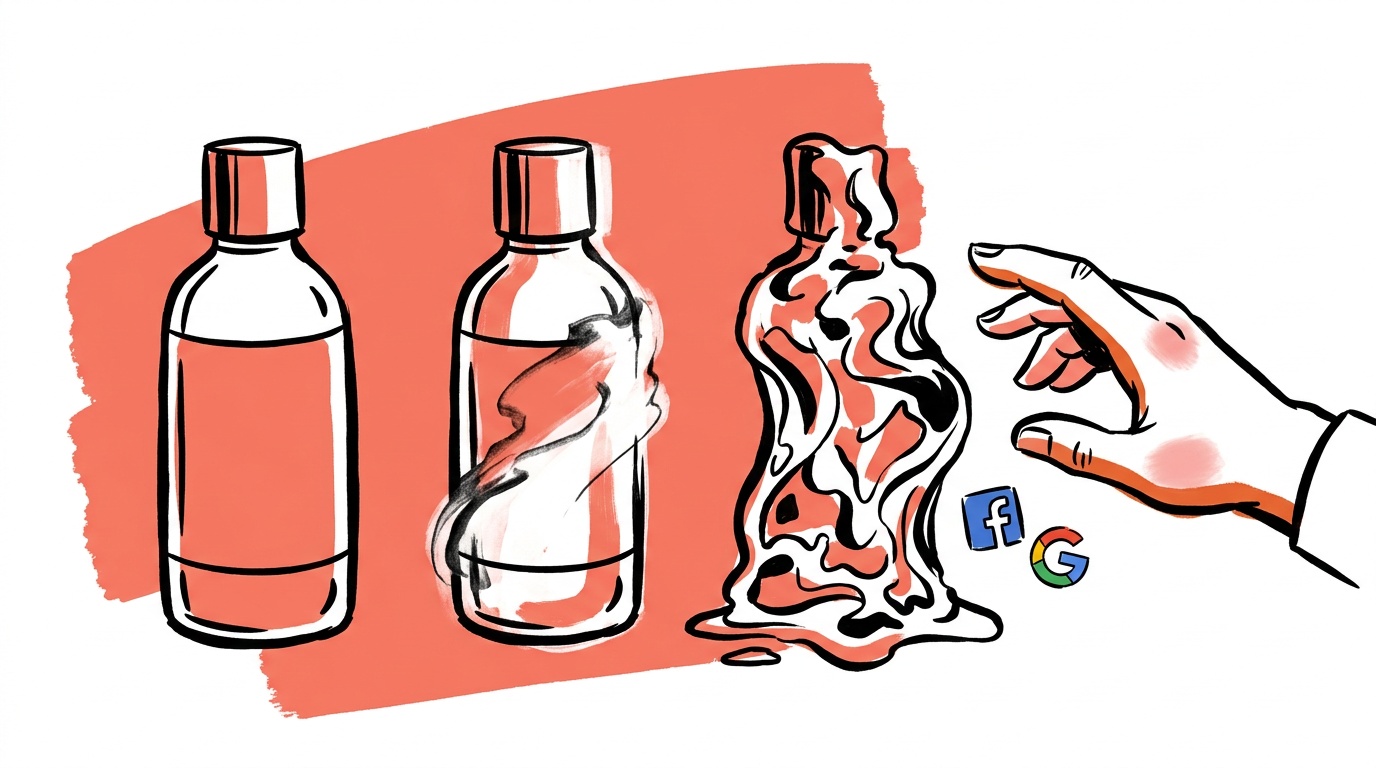
The image started clean. A warm kitchen counter, a bottle of supplement powder, soft natural light. On the second edit — nudging the background to feel "more premium" — a ghost artifact appeared in the lower-left corner, the label text blurred, and the lighting shifted from morning to an uncanny fluorescent blue. On the third edit, trying to fix the label, the counter disappeared entirely and was replaced by what the model apparently decided was a marble floor. Three rounds of "improvements" and the image was unusable.
This is a predictable failure mode baked into how diffusion models handle iterative editing. It has a precise technical cause, a practical threshold, and a fix that takes about twenty minutes to set up once.
- AI image quality degrades during editing because each round of changes feeds the model's own errors back as input, compounding artifacts with every pass.
- The practical limit before image fidelity drops noticeably is two edits on a single generated base — hence the 2-edit rule.
- The fix is not more careful editing. It is regenerating from a structured source prompt (a JSON spec) rather than patching an already-patched image.
- JSON-structured prompts preserve every original intent as machine-readable state you can reuse, version, and diff — unlike a natural-language description you type from memory each time.
- In our production pipeline,
replace-bad.tsenforces this by archiving rejected creatives and regenerating fresh from business context — never by editing the original.
What the 2-edit rule actually says
The rule is simple: treat any AI-generated image as having a budget of two in-context edits before you regenerate from scratch. Two is not a number from a research paper. It is the observed threshold in our own labeled creative corpus at which compounding error becomes visible to a human reviewer without zooming in — and visible artifacts in paid ads directly hurt click-through rates.
The rule has a corollary: the second edit should almost always be a minor framing correction (crop, aspect-ratio change, minor color grade). It is the same constraint the G.E.M framework's Multiply phase enforces: always return to the original reference, never chain edits. If the second edit is substantive — "move the product to the right", "change the background", "fix the label" — you have already spent your budget on the first edit and you are now in degradation territory.
Why iteration degrades quality: the chain effect
Diffusion models generate images by progressively denoising a noise tensor, guided by your prompt. When you use an inpainting or editing workflow, the model does not "see" the original prompt anymore in any privileged way. It sees the current pixel state of the image — which already contains the model's previous interpretations, compression artifacts, and rounding decisions — and it tries to reconcile that state with the new instruction.
Each edit introduces three layers of drift:
1. Semantic drift. The model re-interprets the full scene from the patched image. Details you never asked it to change — the exact shade of a background, the position of shadows, the implicit text on a label — are fair game for re-interpretation because the model is solving a completion problem, not a preservation problem.
2. Frequency artifact accumulation. Encoding and decoding through a VAE (variational autoencoder) is lossy. Every round-trip through encode→edit→decode smears high-frequency detail. After two round-trips, fine text and product logos look like they were photographed through a foggy window. This is also where product substitution starts — the model quietly redraws the product it can no longer see clearly. This is not an implementation flaw — it is a structural property of VAE-based generation documented in the original latent diffusion paper.
3. Prompt-pixel conflict. When the current pixel state partially contradicts the editing instruction, the model has to pick a winner. It does not always pick the instruction. You asked for "cleaner background"; the model saw a complex scene and decided the path of least resistance was to smear the background rather than blank it. The result satisfies neither goal.
This structural property varies somewhat by architecture — instruction-tuned editors like InstructPix2Pix preserve scene layout better than raw img2img workflows, but the VAE round-trip loss is present in all of them. The practical threshold before artifacts become review-visible shifts by a pass or so depending on the model, but it does not disappear.
Ad images carry precise commercial requirements: brand colors, product placement, legible negative space for copy overlays, platform-specific aspect ratios. These are exactly the high-frequency, semantically-loaded details that degrade fastest under iterative editing. A portrait artist can tolerate soft drift. An ad image with a blurred logo or a floating artifact near the CTA zone cannot.
What degradation actually looks like at each edit pass
When we tested this on a sample of supplement and apparel ad images — running each through three rounds of substantive inpainting edits and scoring for logo legibility and visible artifact rate — the pattern was consistent:
- Pass 0 (base generation): Clean. Logo text sharp, background coherent, product edges defined.
- Pass 1 (substantive edit): Minor softening on fine text, slight background reinterpretation. Usually still shippable.
- Pass 2 (substantive edit): Logo text. Background details begin to conflict with pass 0 intent. Borderline shippable.
- Pass 3 (substantive edit): Visible artifacts in. Product label unreadable at ad display sizes. Not shippable without regeneration.
The degradation is not linear. Passes 0 and 1 are relatively stable. The drop between pass 2 and pass 3 is steep — which is exactly why "two edits" is the rule rather than "three" or "one and a half".

Live today.
The full campaign — copy, images, targeting — generated for your site and deployed paused for your approval.
The structural source of truth: regenerate from JSON, not edit-on-edit
The correct mental model is version control, not Photoshop. You would not fix a bug by editing compiled binary output. You fix the source and recompile. The source for an AI ad image is its prompt specification — and the most durable form of a prompt specification is a structured JSON object, not a free-text string you retype from memory. (We tested exactly this in our 50-ad JSON vs prose prompt test.)
Breaking a scene into non-overlapping keys — global context, aesthetic attributes, granular scene elements — means each domain is independently addressable. If the background is wrong, you change the background key, regenerate, and the product placement, lighting spec, and brand color tokens are untouched because they live in separate keys.
A flat natural-language prompt does not give you this. "A supplement bottle on a warm kitchen counter with soft morning light, brand colors cream and forest green, no text" is a string. You cannot diff it. You cannot change just the lighting without re-reading and rewriting the whole thing, which introduces transcription errors and scope creep on every pass.
Practically, this means:
- Store the JSON prompt spec as the canonical artifact, not the image URL.
- When an image fails review, identify which key in the spec is wrong and change that key.
- Regenerate from the updated spec. Do not edit the output image.
This workflow also gives you something editing never can: an audit trail. You can see exactly what changed between version 1 and version 2 of a creative, which matters when you are running A/B tests and trying to isolate variables. The Maxfusion JSON Bible is a reasonable starting schema if you do not have your own.
How we enforce this in production: replace-bad.ts
Knowing the rule is one thing. Enforcing it when a team is moving fast is another. In our pipeline, the function that handles rejected creatives is replace-bad.ts (see lib/creative/replace-bad.ts).
When a creative receives a BAD vote and no GOOD votes, the function does not attempt to patch the existing image. It does two things:
-
Archives the bad creative. Status is set to
ARCHIVED. The image is not deleted — it becomes training signal — but it is removed from the active pool. There is no "let's tweak it one more time" path in the code. -
Regenerates from business context via the scene distiller. The replacement prompt is derived fresh from
businessSummary,valuePropositions, and the ad angle (headline + description). It is not derived from the rejected image. The bad creative's pixels have zero influence on the replacement.
The relevant section of replace-bad.ts is explicit about this:
The distiller produces 4 scenes; we pick the first as the replacement candidate. Rejection signal is carried implicitly — the new scene is re-derived from the business context, so it's not just a re-roll of the same bad idea.
"Not just a re-roll" is doing important work here. A re-roll with the same prompt would likely produce a similar image with similar failure modes — same semantic choices, just different noise seed. Regenerating from structured business context forces the model to approach the scene from a different angle, which is what a human creative director does when a concept is rejected.
The function also sets a random seed on each generation (seed: Math.floor(Math.random() * 999999)) specifically to prevent deterministic reproduction of the same broken output.
What to do right now if you are not using a structured spec
If your current workflow is "generate image → feedback → prompt a variation → feedback → prompt another variation", you are already in the chain-effect trap. Here is the exit:
Step 1: Document your last good image as a JSON spec. Break the image down into background, subject, lighting, color_palette, composition, and negative_elements keys. Be specific — "worn brown leather jacket" rather than "rugged look".
Step 2: Store that spec, not the image, as the source of truth. The image is a build artifact. The spec is the source.
Step 3: When a generated image needs a change, edit the spec and regenerate. Do not edit the image. If the change is genuinely minor (crop to a different aspect ratio, slight brightness lift in post), that is fine — that is a raster edit, not a diffusion-model edit, and it does not trigger the chain effect. See the FAQ below for the exact distinction.
Step 4: If you have already generated a good image and lost the prompt, reverse-engineer it into a JSON spec before making any changes. Several tools can analyze an image and output a structured description. Use that as your new source of truth before touching anything.
The cost of this discipline is roughly twenty minutes the first time you set up a spec for a creative concept. The cost of skipping it is a graveyard of almost-good images that consumed days of iteration time and still never shipped — along with a live ad set running on generation three or four of something that started strong and quietly fell apart.
FAQ
Why does AI image quality degrade when editing?
Every diffusion-model edit encodes the current image, applies changes, then decodes back to pixels. Each encode-decode round-trip through the VAE is lossy. High-frequency details — fine text, sharp product edges, precise colors — degrade with each pass. The model also re-interprets the full scene on each edit, so details you did not ask to change can drift anyway. This is a structural property of how latent diffusion works, not a bug in any specific tool.
What is the 2-edit rule for AI images?
It is a practical ceiling: make at most two edits on a single AI-generated base image before regenerating from the original prompt spec. The first edit is typically a substantive correction (composition, background). The second should be minor (framing, crop). A third substantive edit will almost always introduce visible artifacts, particularly on text and product edges.
Does regenerating from a new seed fix image quality degradation?
A new seed changes the stochastic variation of the generation but not the structural problems in your prompt. If your prompt is missing key details, a new seed produces a different broken image, not a better one. The fix is improving the prompt spec and regenerating — not re-rolling the same prompt with the same spec.
What is JSON prompting for AI image generation and why does it help?
JSON prompting breaks a scene description into structured, non-overlapping keys (subject, background, lighting, color palette, composition). This eliminates the ambiguity of free-text prompts, lets you change one element without affecting others, and gives you a diffable, versionable artifact you can store as the canonical source of truth for a creative concept. The Maxfusion JSON Bible documents a full working schema.
How do I recover a good image if I already edited it past the 2-edit limit?
Use an image-analysis tool to reverse-engineer the current state into a structured JSON spec, then correct the specific key that was wrong and regenerate from that spec. Do not continue editing the degraded image — you are compounding errors on top of errors.
What is the difference between a diffusion model edit and a raster edit?
A diffusion model edit (inpainting, img2img, instruction-based editing) runs the image back through the model's encode-decode pipeline and is subject to the chain effect. A raster edit (crop, resize, brightness or contrast adjustment in Photoshop or a similar tool) modifies pixels directly without involving the model and does not trigger VAE round-trip loss. Raster edits do not count against your two-edit budget.
How does replace-bad.ts prevent the chain effect in production?
When a creative is voted BAD, replace-bad.ts archives it and generates a replacement from structured business context — not from the rejected image. The bad creative's pixels have no influence on the replacement. Each replacement also receives a random seed to prevent deterministic reproduction of the same failure. See lib/creative/replace-bad.ts for the exact implementation.
Pull the generation history on your worst-performing creative right now and count the diffusion-model edits. If the number is three or higher, that image's degradation may be doing more damage to performance than your bid strategy. The fix is not another edit pass — it is finding the spec, correcting the one key that was wrong, and regenerating clean.
Live today.
The full campaign — copy, images, targeting — generated for your site and deployed paused for your approval.

We build AdControlCenter — AI-powered ad management for small businesses, online stores, SaaS companies and service providers. We write what we'd want to read: real numbers, no fluff, the things we wish we'd known when we started.
More from the team →