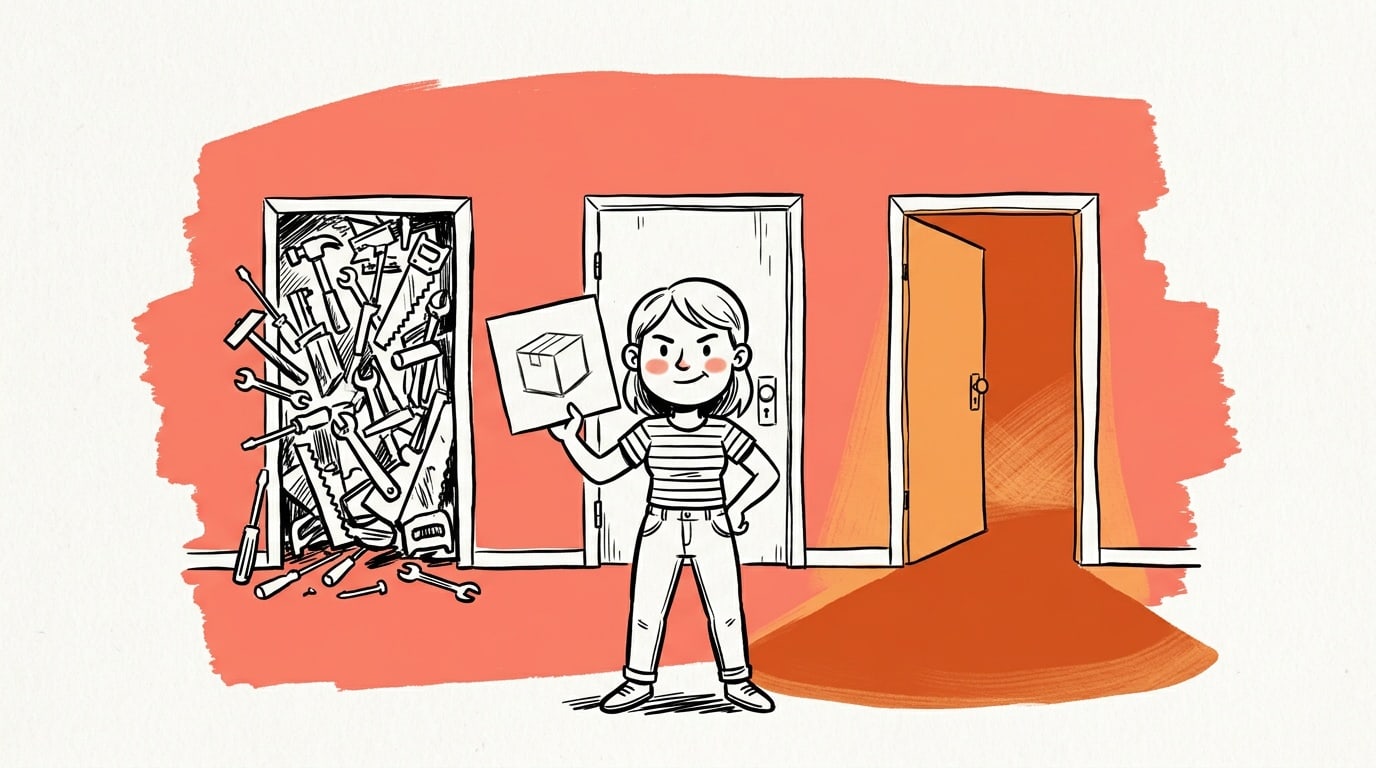
Most store owners think the choice is "pay a retoucher or don't". It isn't. There are now three distinct ways to fix a weak product photo, and they fail in completely different places. Manual editing gives you total control and eats your week. The AI button inside your page builder is instant and usually hands back a beautiful photo of a product that isn't yours. A dedicated product-image tool sits in between — and is the only one of the three that also ends with an ad you can upload.
Here's the honest comparison, including the cases where our own tool is the wrong choice.
- Manual editing wins on control and loses on time — every image is a fresh session in Photoshop or a fresh invoice.
- Page-builder AI (Elementor AI, Divi AI and the general-purpose AI plugins) is fast, but most of it generates a new image from a text prompt instead of keeping your actual product.
- Product fidelity is the row that decides it. A gorgeous image of a product you don't sell is worthless — customers notice on delivery, and ad platforms require the ad to show the thing being sold.
- Server load is the row nobody checks. Anything that resizes or upscales images on your own WordPress host is spending the PHP workers that serve your storefront.
- Only one route ends with an ad banner — a sized, on-message creative — instead of a bare product photo you still have to design around.
The three routes, defined
The categories get blurred in marketing copy, so it's worth being precise about what each one actually is.
Manual editing. You, a freelancer, or an agency opens the photo in Photoshop, Affinity, Lightroom or Canva and fixes it by hand: cut the background, correct the white balance, lift the shadows, place it on a backdrop, export at the right size. Total control, zero automation, cost scales linearly with the number of SKUs.
Page-builder AI add-ons. Your theme or builder ships an "AI image" panel — Elementor AI, Divi AI, and the growing pile of general-purpose AI plugins in the WordPress directory. You type a description, it calls a general image model, you get an image. Some also do upscaling or background removal on a file you already have.
A dedicated product-image tool. Software built for one job: take the product photo you already have, put that product into a better scene, and hand you the file in the shape you need. Creative Studio is our version — it reads your WooCommerce catalog, generates from your existing product image, and can compose the result into an ad creative. Others exist outside WordPress; the category matters more than the brand.
The comparison table
| Manual editing | Page-builder AI | Creative Studio | |
|---|---|---|---|
| Execution speed | Minutes to hours per image; a catalog is a multi-day project | Seconds per image | Seconds per image, one or three variations per click, straight from the product grid |
| Where the work runs | Your desktop — the store is untouched | Mixed: prompt generation is remote, but upscaling and bulk conversion often run on your PHP host | Remote — WordPress only stores the finished file |
| Server load | None | Can be significant; on-host image processing competes with storefront requests | Negligible — no pixel work on your host |
| Product fidelity | Perfect: it is literally your photo | Poor for text-to-image — a plausible product, not yours | Preserved: your product photo is the reference the scene is built around |
| Asset optimisation | Whatever you export — correct only if you know the targets | Rarely handled; output lands at model-native size and gets resized by the theme | 1:1 at 1080×1080 by default, plus the ad ratios platforms expect |
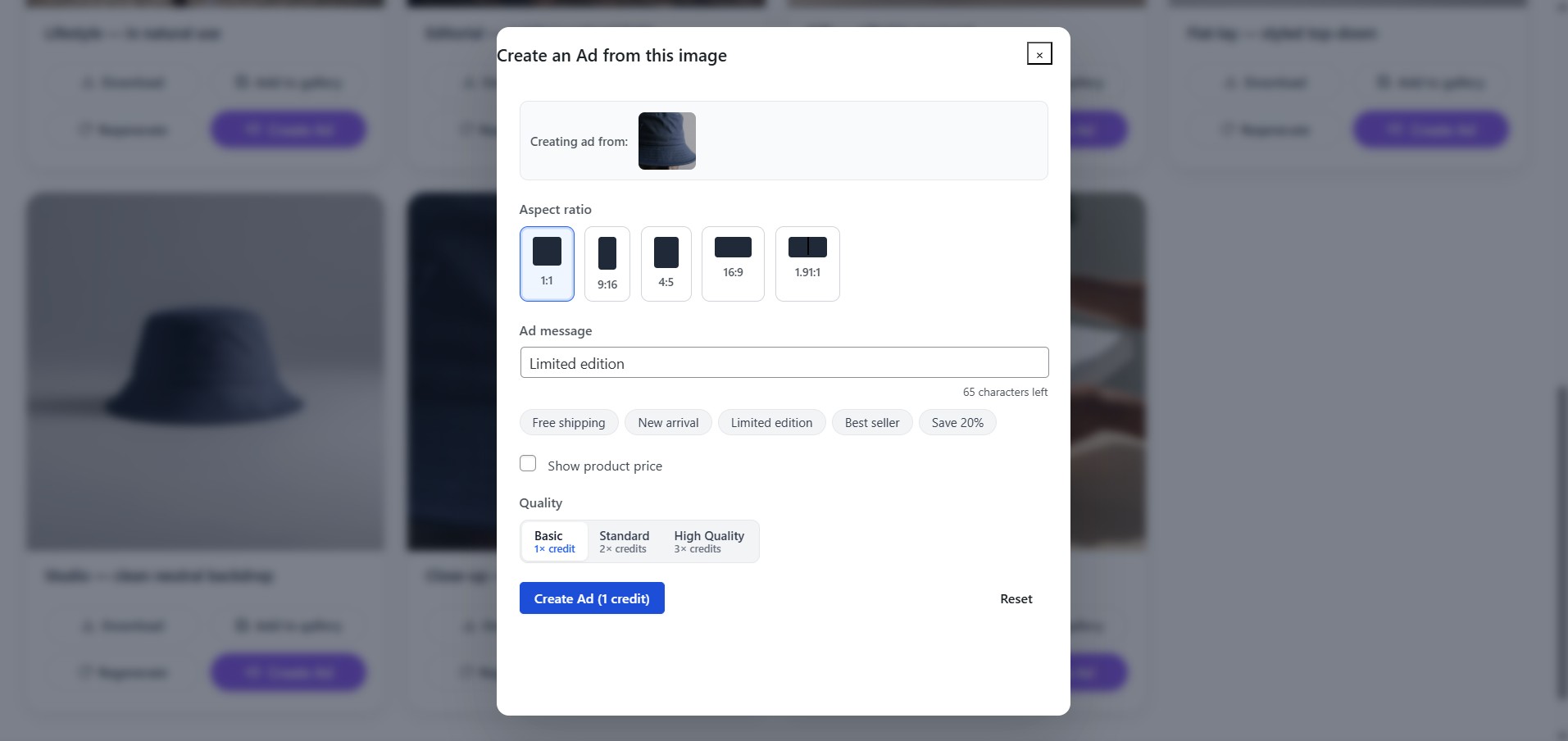
| Ad-banner output | Possible, but a second design job per placement | No — you get an image, not an ad | Yes: message, aspect ratio (Feed, Reels, Story) and optional price composed in |
| Skill required | Real design skill, or the budget to rent it | Prompt-writing, which is its own skill | Pick a product, pick a scene, click |
| Cost model | Hourly or per image, forever | Bundled into the builder subscription | Free weekly credits per site; one-time credit packs for volume |
Two of those rows are trade-offs you can live with either way. Two of them decide the outcome.
Why product fidelity is a gate, not a trade-off
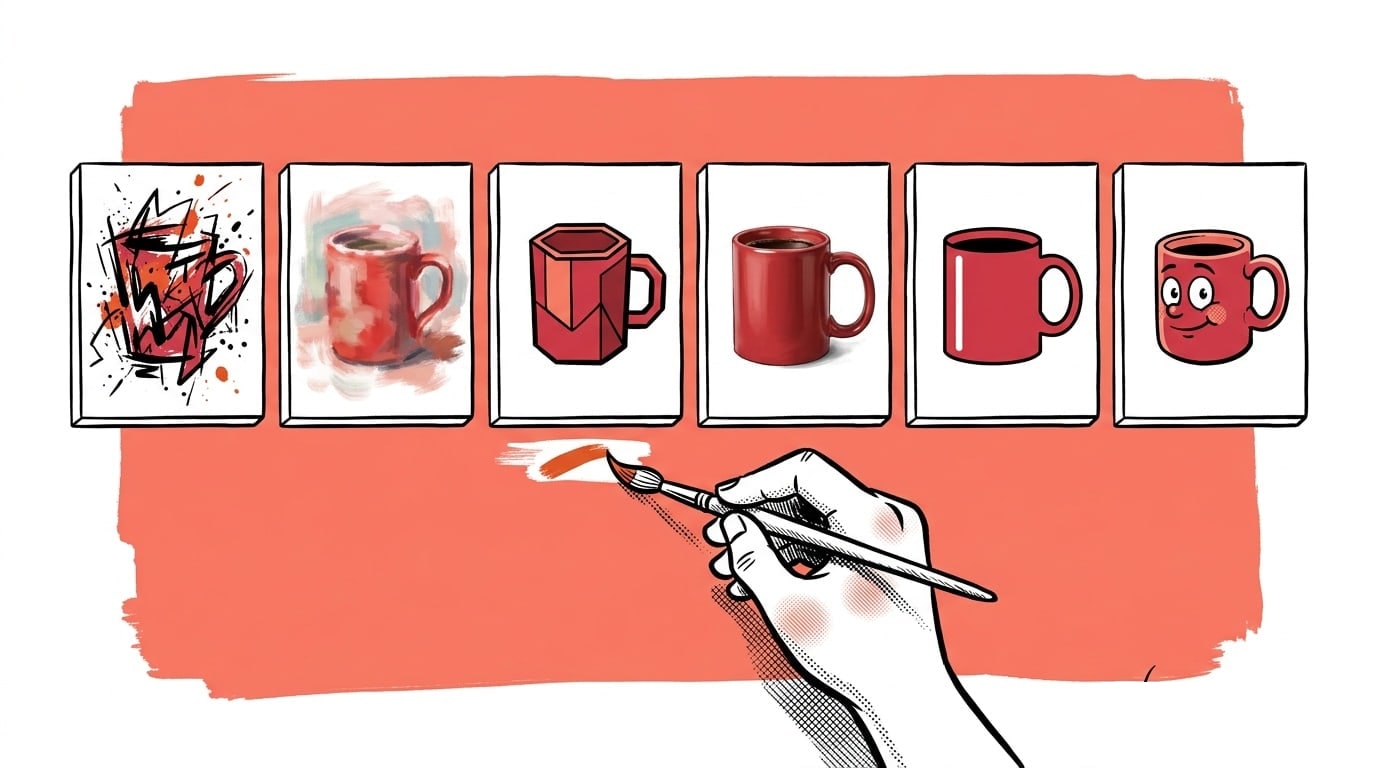
Give a general image model "a ceramic mug on a linen table, morning light" and it will produce a beautiful mug. It will not produce your mug — not your glaze, not your handle, not your logo placement. For a blog header that's fine. On a product listing it's a returns problem, and in an ad it's a policy problem: the creative has to represent what the buyer actually receives.
That's the structural difference between prompt-based and reference-based AI. Reference-based generation takes your existing photo as the anchor and changes only the scene around it. It's the difference between "make me a picture of a candle" and "put this candle on a marble counter at golden hour". A tool that can't ingest your real product photo can't solve the e-commerce problem, however good its output looks.
The server-load question nobody asks
WordPress stores accumulate image plugins: one for compression, one for WebP conversion, one for regenerating thumbnails, and now one for AI. Every one of those that processes images on your host spends your PHP workers and your memory limit on work that has nothing to do with serving a page.
The symptom is familiar. The store feels fine until you bulk-regenerate thumbnails or run a compression sweep, and suddenly checkout crawls. The fix is architectural rather than a bigger hosting plan: do the heavy pixel work somewhere else and let WordPress store the result.
To be fair about what belongs on your host — WooCommerce's own image sizing and background thumbnail regeneration is core behaviour and it's fine. The problem is stacking generative work and bulk conversion on top of it.

Live today.
The full campaign — copy, images, targeting — generated for your site and deployed paused for your approval.
Asset optimisation: the part that silently costs money
An "enhanced" photo that ships as a heavy PNG is a downgrade. Image weight is one of the most reliable drags on Core Web Vitals, and Google's guidance has been consistent for years: serve modern formats at the right dimensions. A grid of oversized files is slowest on exactly the mobile connection your buyers are using.
For a WooCommerce catalog the targets are unambiguous, and we did the arithmetic in a separate piece: square at 1080×1080, WebP, under 150 KB. Measured on 12 real 1080×1080 product images, WebP at quality 80 averaged 49 KB — so 150 KB is a slack budget, not a strict one.
Where each route lands against that:
- Manual editing hits the targets only if you know them and remember to apply them on every export.
- Page-builder AI usually ignores dimensions entirely and leaves the resize to your theme, which is how a 1536-pixel model output becomes a 300-pixel thumbnail with none of the bytes saved.
- A product tool built for stores should hand you the right ratio and resolution without you asking. That's the minimum bar for the category.
The row that turns photos into revenue: ad-banner output
Here's the gap most "photo enhancer" comparisons miss. A better product photo improves your listing. It does not, by itself, give you anything to advertise with.
An ad creative is a different artifact: a specific aspect ratio for a specific placement, with a message in the frame and often a price or an offer. Going from photo to ad is a second design job — and it's the job that decides whether the traffic you buy converts. In our own corpus work on thousands of Facebook ads, the thing separating ads that keep running from ads that get swapped out wasn't photographic quality; it was whether the creative makes a clear claim inside the frame. We wrote that up in our analysis of 13,572 Facebook ads.
So when you compare enhancers, ask the question that maps to revenue: does this end with a file I can upload to Ads Manager? Meta publishes creative specs per placement — a square for Feed, a vertical for Stories and Reels. A tool that stops at "nicer photo" leaves all of that with you.
When each route is genuinely the right call
Choose manual editing when the image is a hero asset: the homepage banner, the packaging shot, the single photo on a campaign landing page. When one image carries disproportionate weight, a human retoucher is still the best money you can spend.
Choose page-builder AI when you need decorative imagery that isn't a product — a blog header, a section background, an abstract illustration. That's exactly what general text-to-image is good at, and you've already paid for it inside your builder subscription.
Choose a dedicated product-image tool when you have a catalog rather than a photo: dozens or hundreds of SKUs, each with one usable supplier shot and no realistic path to a photoshoot. That's the volume problem the category exists to solve.
The three aren't really competitors. The mistake is using one for another one's job — and the most expensive version of that mistake is running paid traffic to a product photo that was never designed to be an ad.
Where Creative Studio fits
Creative Studio is our free WooCommerce plugin, and it's built for exactly the third case. It reads the products already in your store, generates store-ready shots from the photo you have — lifestyle, studio, flat-lay, close-up, hero white and a few more — with the real product preserved rather than re-imagined, and everything comes out 1:1 at 1080×1080.
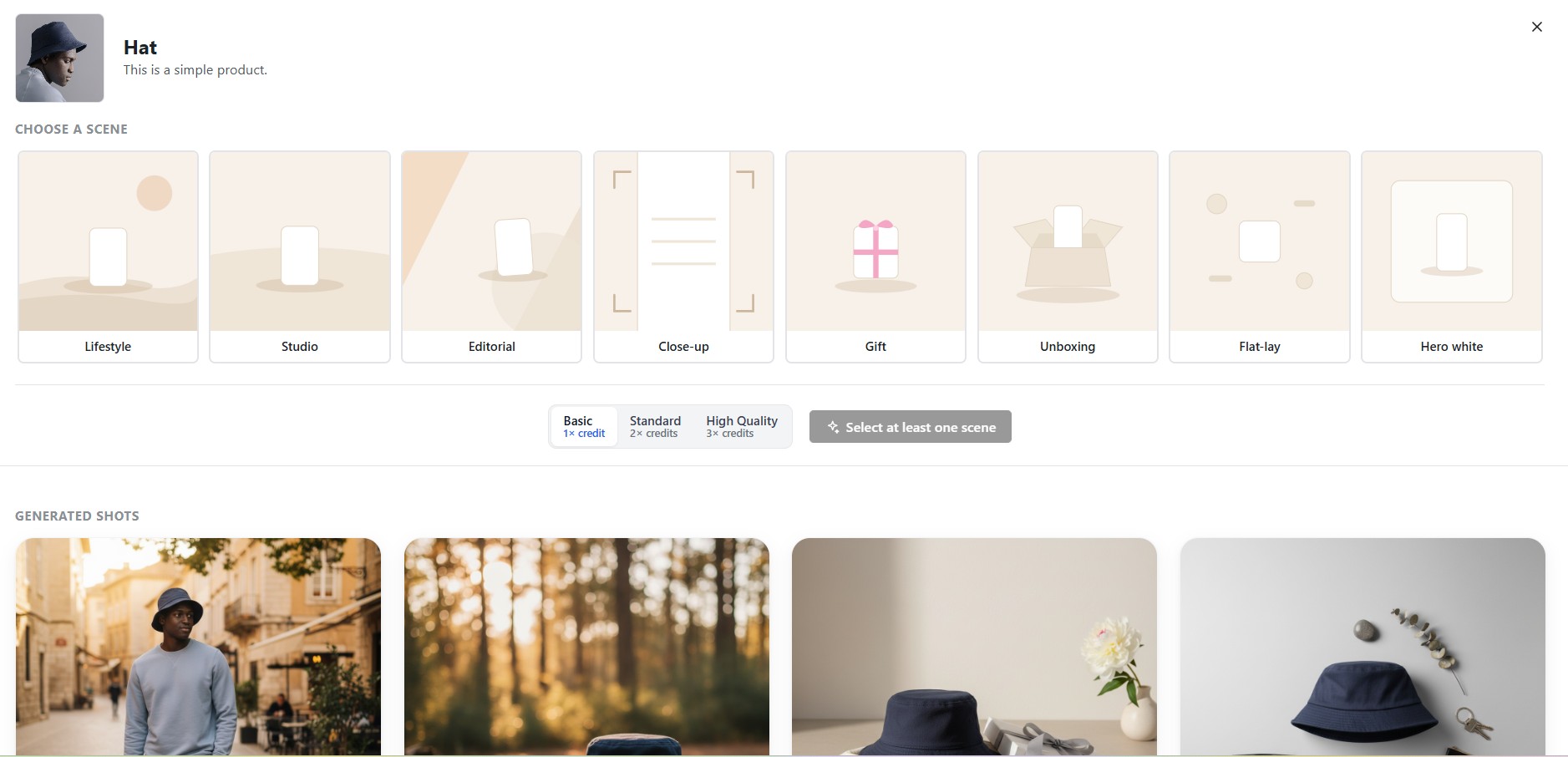
The part that closes the loop is the ad step: take an enhanced image, add your message, pick the placement ratio, and you have a creative rather than a catalog photo.
None of that generation runs on your server, your originals are never overwritten, and the output goes where you choose — download, Media Library, or straight into the product gallery. If you want those images to become actual campaigns rather than just better catalog photos, that's what AdControlCenter does with them, and the Meta bulk-import guide covers getting a whole campaign in at once.
FAQ
What is the best AI photo enhancer for a WooCommerce store? Whichever one takes your product photo as input rather than a text description. For WooCommerce specifically, a plugin that reads your products directly also saves the export-and-re-upload round trip for every file. Creative Studio does this from inside WP admin; reference-based tools outside WordPress work too, with more manual steps.
Is page-builder AI good enough for product images? For decorative imagery, yes. For products, usually not — most of it is text-to-image, so it invents a product rather than keeping yours. Where a builder offers upscaling or background removal on an existing file, that part is genuinely useful; it's the generated-from-scratch product shot that causes problems.
Will AI-enhanced product photos hurt my SEO? Not for being AI-generated. They hurt if they're heavy, wrongly sized, or missing alt text — the same things that have always hurt image SEO. Keep the file small, keep dimensions consistent across the catalog, and write alt text that describes the product.
Is it allowed to advertise with an AI-enhanced product photo? Yes, as long as the ad accurately represents what the customer receives. Changing the background or the lighting is fine. Changing the product itself — its colour, its shape, the accessories in the frame — is where you run into misrepresentation, both with ad platforms and with consumer-protection rules.
Does an image plugin slow down a WooCommerce store? It can, if it processes images on your own server. Compression sweeps, thumbnail regeneration and on-host upscaling all consume the PHP workers that serve your storefront. Tools that do the heavy work remotely and only store the finished file avoid the problem entirely.
How much does each route cost? Manual editing is hourly or per image and never stops. Page-builder AI is bundled into a subscription you already pay for. Creative Studio gives each site free image credits every week, with one-time credit packs if you need more volume — there's no subscription to unlock features.
Do I still need a photographer? For a hero image or a brand campaign, often yes. For the long tail of a catalog — the SKUs that would never justify a shoot — generating from the photo you already have is the difference between a listing that looks considered and one that looks abandoned.
Compare enhancers on two rows, not ten: does it keep your actual product, and does it end with something you can advertise? Speed and price are printed on every pricing page. Those two are the ones that decide whether the output is worth anything.
Let AdControlCenter build the ads for you
Point it at your website and it writes the copy, generates the images, and builds a ready-to-import campaign — in a couple of minutes. Everything imports paused, so nothing spends until you say so.
Start 7-day free trial7 days free, then $9/mo. Cancel anytime.
Live today.
The full campaign — copy, images, targeting — generated for your site and deployed paused for your approval.

We build AdControlCenter — AI-powered ad management for small businesses, online stores, SaaS companies and service providers. We write what we'd want to read: real numbers, no fluff, the things we wish we'd known when we started.
More from the team →